

- Marketing
- Business Intelligence
AI for Events: Boost Engagement, Capture Leads & Track Results
Make your next B2B event easier to join and more useful to follow up. See how Cody Live combines branded avatars, product conversations, games, lead capture, and event analytics.
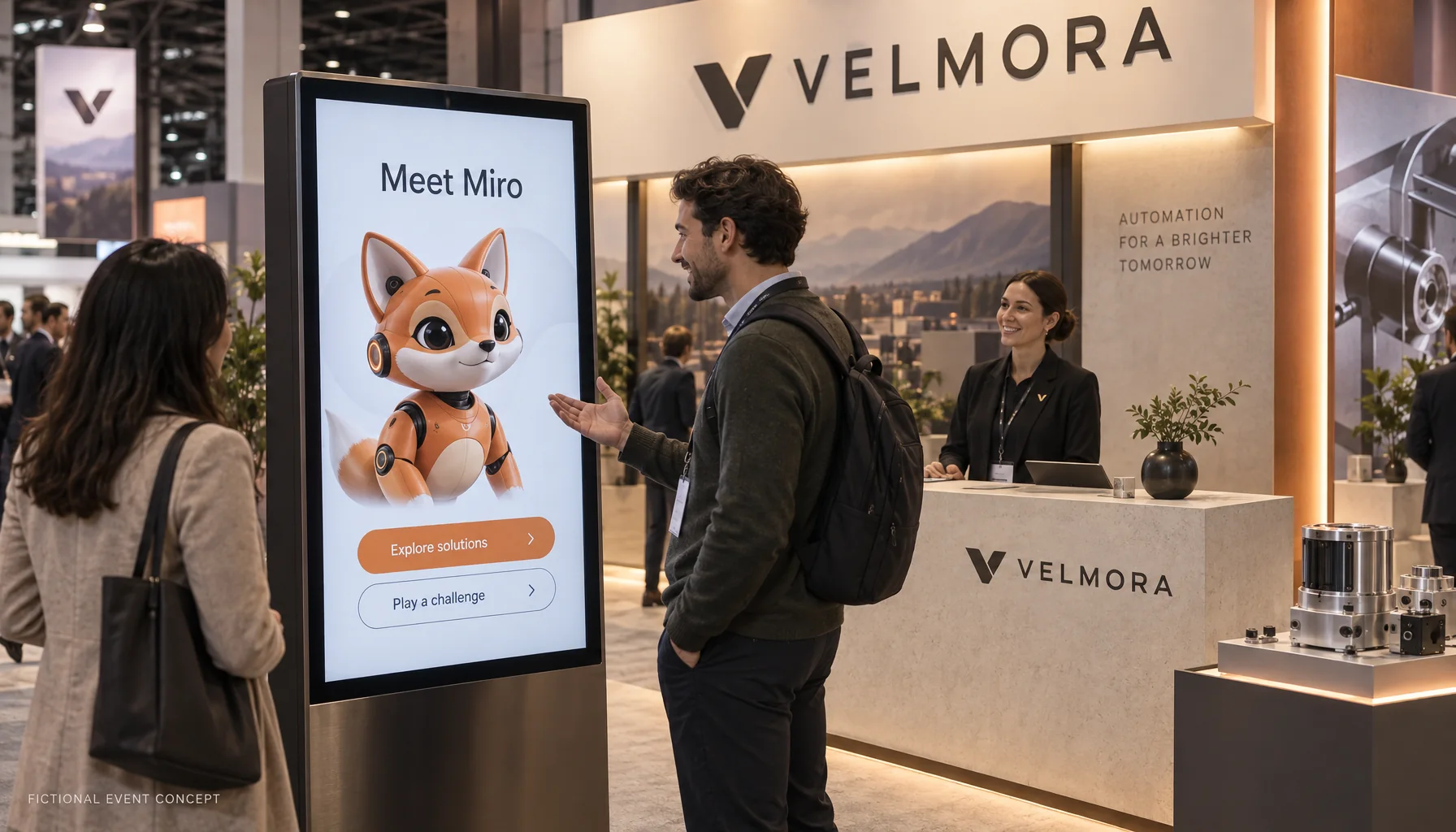
A visitor slows down outside your booth. A character on the screen waves back. “Have a minute? Ask me what we do, or try a quick challenge.” A few moments later, that visitor is exploring a product, asking a question, and deciding whether to speak with your team.
That is the idea behind Cody for events: use an interactive, branded AI avatar to create an opening, make the interaction worthwhile, and give your team something useful to follow up on. For your next B2B event, the opportunity extends from the first moment of attention to the questions and lead context you take home.
Cody Live event experiences bring together a character, live conversation, approved product knowledge, demos, games, lead capture, and event reporting. You shape the experience around your audience and the action you want them to take.
The images below are AI-generated concepts for Velmora and Tandrel, two fictional brands created for this article. They illustrate possible activations; report figures are sample data.
Give people a reason to stop
A busy exhibition floor gives people plenty to look at. An avatar gives them something to respond to. A welcoming character, a short invitation, and a visible action can make the first interaction feel easy, particularly for someone who is curious but not ready for a sales conversation.
Cody Live can use a branded 3D mascot, an illustrated character, or a human-style presenter. Its appearance, voice, personality, and opening questions can reflect your business. With a suitable camera setup, supported characters can respond to an open-palm wave or a thumbs-up, adding a small moment of recognition before the product conversation begins.
Make the invitation specific: “Find the right solution for your team,” “Ask me a product question,” or “Try our one-minute challenge.” Attendees should understand what they can do before they reach the screen. Your booth team can then join the conversation when the visitor wants a deeper discussion.
Make the first minute useful
The character earns its place when it can help someone understand your business. Cody Live can answer from the knowledge you approve, including product information, FAQs, comparison guidance, and event-specific messaging. It can bring relevant content onto the screen as the conversation develops.
Imagine Velmora, our fictional automation company. One visitor asks about warehouse operations; another wants to understand implementation. The same avatar can guide each toward the relevant product story, show a demo, and invite the next question. Your team defines the information, available actions, and points where a person should take over.
Multilingual conversation can also help an international audience get started in a language they are comfortable using. Plan and test the languages that matter for your event, along with product names and specialist terminology. Touch controls and visible captions give attendees another way to follow the experience in a noisy hall.
Turn a quick game into a shared booth moment
A short challenge gives people a clear reason to participate. Cody Live supports configurable activities such as trivia, product matching, and a prize wheel. You can choose the games that fit the event and connect the theme to something attendees should remember about your offer.
For fictional software brand Tandrel, that might be a quick quiz about everyday team workflows. A product matching game could help visitors learn which solution fits which problem. A prize wheel could provide a playful closing moment after a useful conversation. Keep instructions short enough that a visitor can understand them at a glance.
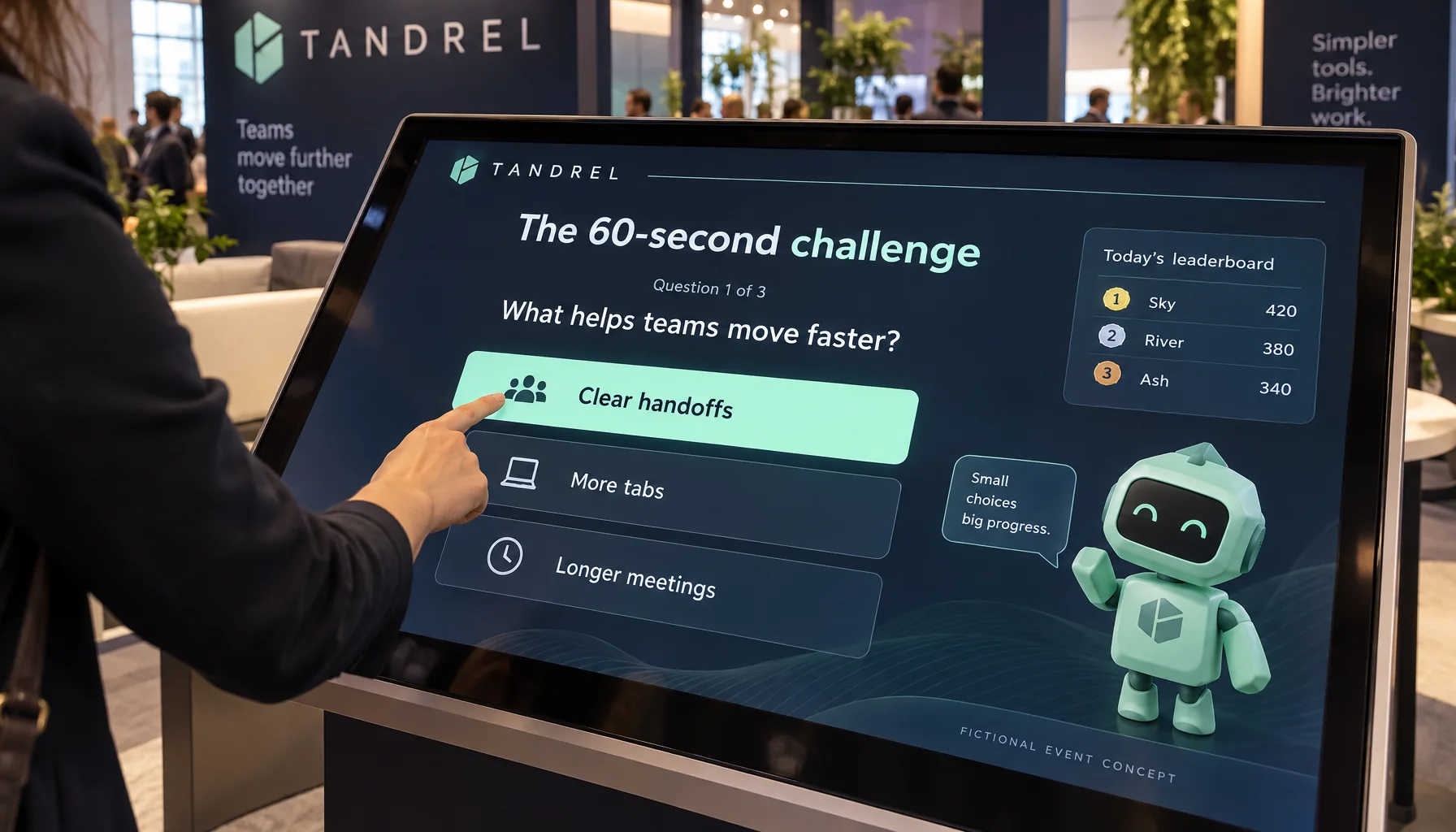
Shared event leaderboards can connect play across tablets and visitor phones, with a separate display showing the standings. This creates a visible activity people can join while colleagues watch. Treat the scores as casual event entertainment, and design the prize rules around that format.
The useful question for the marketing team is what happens after the game: did someone explore a product, ask a relevant question, or choose to share their details? Build that invitation into the experience without making every interaction feel like a form.
Let attendees join from their own phones
A booth screen gives the experience a focal point. An event QR code lets more visitors participate from their own phones. When mobile access is enabled, attendees can open the event in their browser, join the experience, and play the enabled games without installing an app or using a staff account.
This is useful when a group arrives together or the main screen is occupied. Tablets and phones can share the event settings and standings while keeping each visitor's session separate. Make the public leaderboard behavior clear: participant names, companies, and scores can appear there; private conversations and contact records belong in the team's reporting tools.
Give sales a useful next step
An event lead is easier to follow up when the team knows why that person stopped. Cody Live can connect submitted contact details and meeting requests with the visitor's conversation, helping your team pick up the discussion with context.
- Contact forms and giveaway entries: give interested attendees a clear way to share their details.
- Business-card capture: when enabled, an attendee can show a card, review the extracted details, and choose to save them.
- Meeting requests: let visitors select a next step and submit a request for your team to follow up. A request is not a confirmed meeting.
- Conversation review and lead export: authorized staff can review the relevant records and export event leads for their follow-up process.
For Velmora, a salesperson might see that a visitor asked about connecting existing equipment and requested a walkthrough. That gives the first follow-up a specific subject and a useful starting point. Define who will review requests and how the exported records will enter your sales process before the event opens.
Understand the engagement with event analytics
The event report helps your team see how the experience was used. It brings together activity across the event's devices, engaged sessions, conversations, captured leads, and recurring visitor questions. Daily reporting and device activity make it easier to review what happened across a multi-day show.
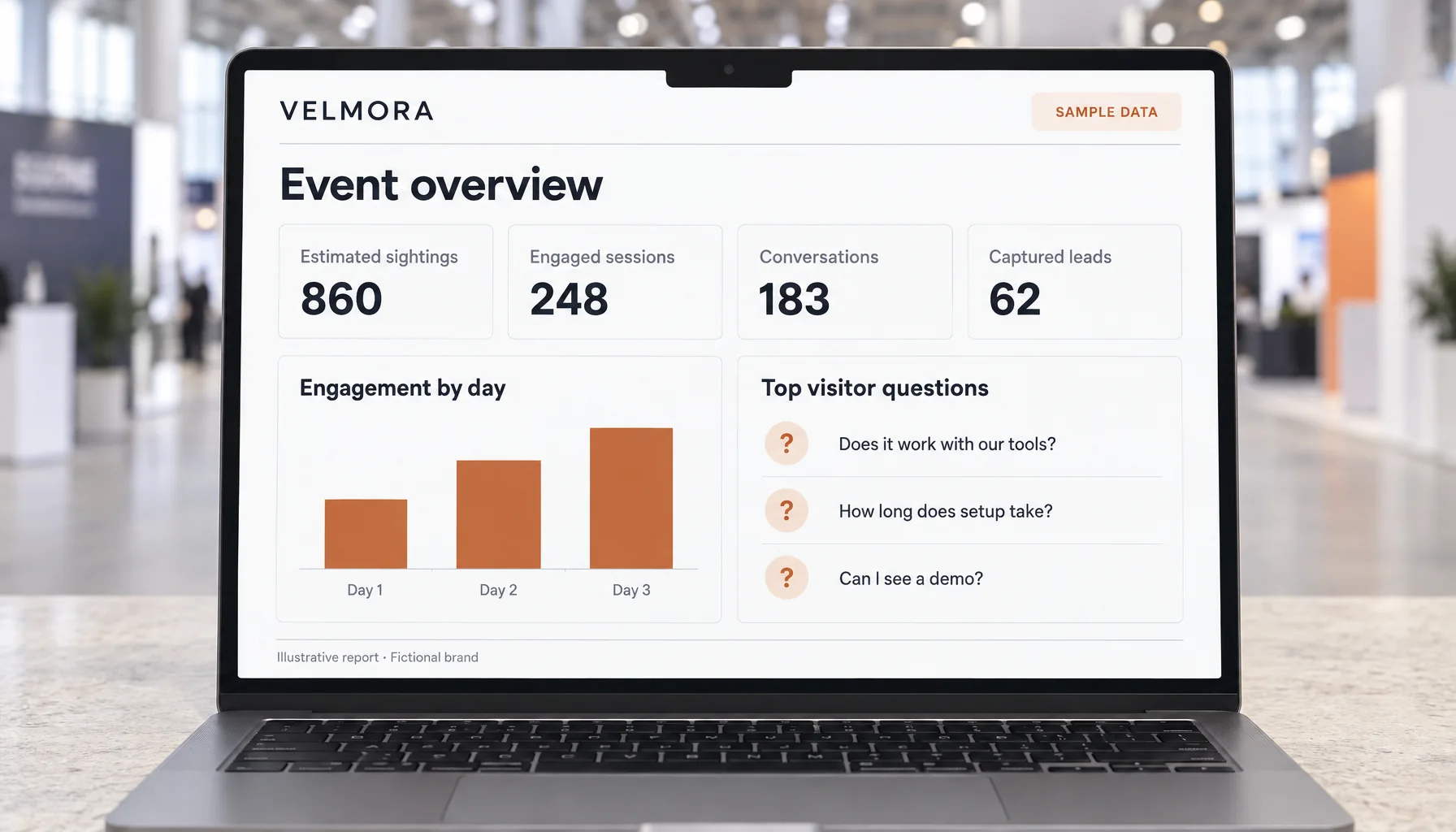
Read each metric according to what it measures:
| Measure | What it tells you |
|---|---|
| Estimated sightings | Estimated camera-visible arrivals while tracking is working. Repeat visits and overlapping camera views can affect the count; it is not a unique-attendee or venue-footfall total. Without coverage, it is shown as “Not measured.” |
| Engaged sessions | Sessions with visitor speech or text, an interaction, or a captured lead. This includes participation beyond a spoken conversation. |
| Conversations | Sessions containing at least one saved visitor message. An automatic greeting alone does not count. |
| Captured leads | Submitted lead records. One session can produce more than one submission, so this total is different from the number of sessions that captured a lead. |
| Lead conversion | The share of engaged sessions with at least one captured lead. This measures an event action; it does not establish sales qualification or revenue. |
| Top visitor questions | Repeated question wording, counted once per session. The report groups matching wording; your team can review the conversations to understand broader themes. |
For example, if 248 engaged sessions included 62 distinct sessions with a captured lead, the session-to-lead rate would be 25%. That is an illustrative calculation, not a customer result. If some of those 62 lead records came from the same session, you would need the distinct-session count to calculate the rate correctly.
Use the report to make a decision
Repeated integration questions might suggest that your booth needs a clearer integration demo. A high number of interactions with few lead-bearing sessions could prompt a review of the invitation to take the next step. Differences between devices can help you investigate placement, staffing, or technical issues, taking their different exposure into account.
After the show, review the conversations alongside your sales team's feedback. Use what visitors asked to improve FAQs, demo scripts, product messaging, and the next event brief. Connect qualified opportunities and revenue in your sales reporting if you want to assess commercial return; the event dashboard provides engagement evidence for that wider evaluation.
Plan the experience around one event goal
A focused activation is easier to explain, test, and measure. Start with the outcome you want: more product conversations, better discovery of a new offer, walkthrough requests, or participation in a branded challenge.
- Choose the audience and invitation. Identify who should stop and give them one clear reason to interact.
- Shape the character and content. Provide the visual identity, tone, product knowledge, demo assets, and questions the avatar needs to handle.
- Select the actions. Decide which games, forms, meeting requests, and mobile participation options belong in this event.
- Prepare the booth. Test the actual screen, microphone, speakers, camera, and connection together. Rehearse in realistic noise, and provide a touch or push-to-talk option where needed.
- Agree on measurement and follow-up. Define the metrics you will review, the visitor information you need, and who owns the next conversation.
Cody Live can be shaped around your identity, from the character's name and visual style to its voice, knowledge, and on-screen content. The fictional Velmora and Tandrel examples show how different that can look for two B2B brands.
Give your next event a character people can talk to and a next step worth taking. Plan your event experience with Cody, or explore Cody Live to see how a branded avatar can fit your booth, audience, and goals.