

- AI Tools
- Artificial Intelligence
Copilot vs Gemini Desktop: A New Challenge for Claude Code and Codex
Microsoft and Google are building AI workspaces that can turn a request into documents, apps, and ongoing tasks. Here is what the new Copilot and Gemini actually add—and where Claude Code and Codex still fit.
Imagine you are preparing a customer review. The numbers are in a spreadsheet, the latest decisions are buried in email, and someone needs to turn both into a presentation before tomorrow. You could ask an AI to draft the slides. The more useful request would be to gather the evidence, reconcile the numbers, build the deck, and flag the questions you still need to answer.
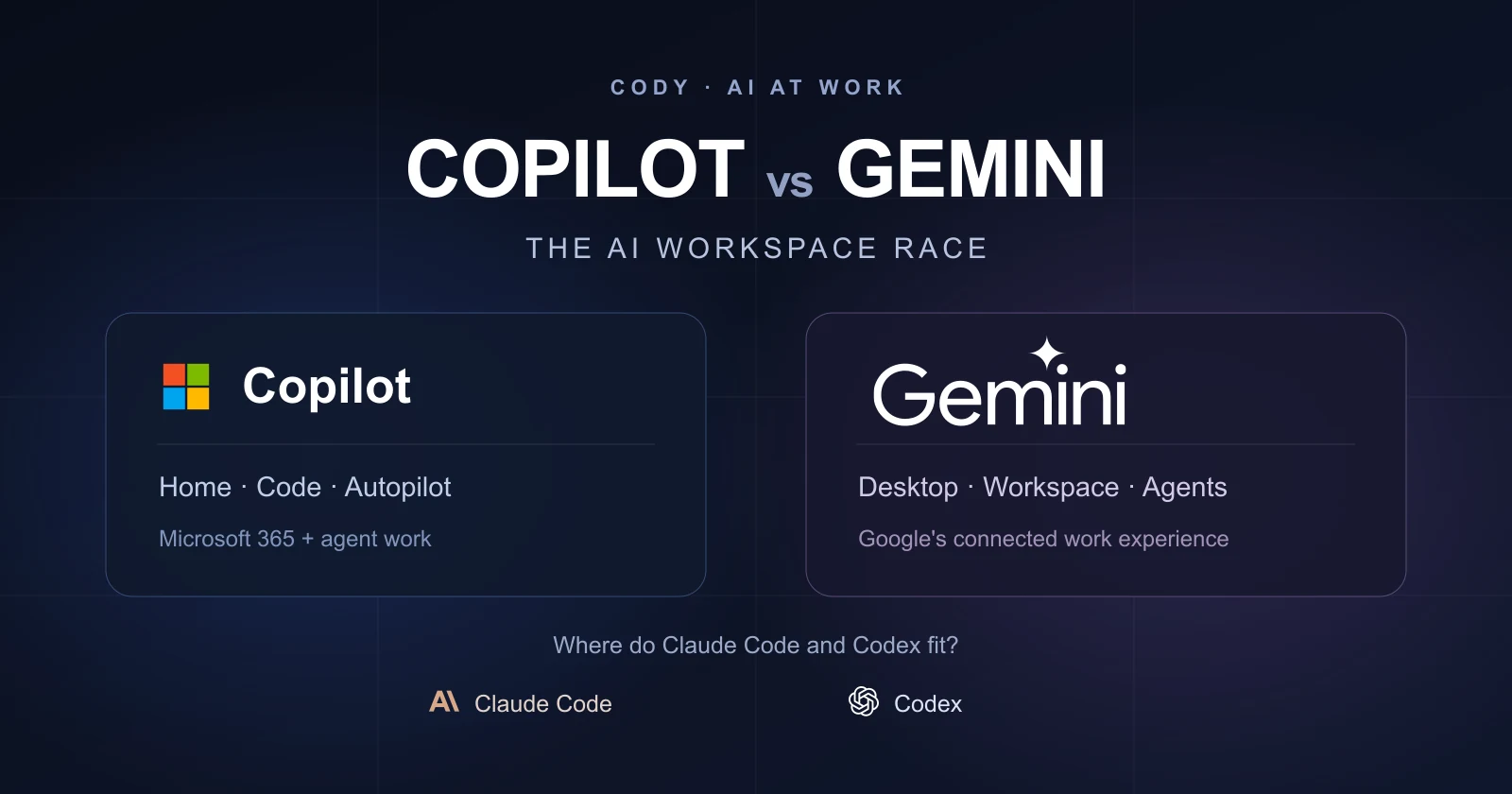
That is the opportunity behind the new Copilot and Gemini workspaces. Microsoft and Google want to become the place where you delegate the whole job. Their challenge to Claude Code and Codex is about much more than writing code.
Microsoft announced Home, Code, and Autopilot on September 25. Google introduced its universal Gemini agent at Gemini at Work on October 8, following the September launch of its Windows app. Taken together, these changes point toward a workplace where the agent can move between a document, an application, and an ongoing responsibility.
Our view: the most consequential advantage here is access to useful business context and a dependable place to finish the work. A familiar interface helps. An agent that can find the right information, produce something editable, and leave you with a clear review step helps much more.
What is an AI workspace, and why does it matter?
An AI workspace combines a conversation with the files, tools, and working environment needed to complete a task. You describe an outcome; the agent can plan, gather information, use software, and return a document, analysis, or working application.
The change is easiest to see in the handoff. A chatbot can explain how to clean a spreadsheet. An agent can inspect the spreadsheet, make the changes, and leave the result ready to check. A useful workspace makes those steps visible and keeps the source material close to the finished output.
This creates two kinds of competition. One is about the model's ability to reason. The other is about the product around it: what the agent can reach, what it remembers, where it runs, and how confidently you can review its work. Copilot and Gemini are making their biggest moves in that second category.
What the new Copilot brings to the table
The new Microsoft Copilot is aimed at work inside an organization. Its Home, Code, and Autopilot experiences connect everyday assistance, delegated projects, and application building. For a team already using Microsoft 365, the attraction is how closely those jobs can sit alongside its existing content.
Home: a place to finish office work
Home brings Chat and Cowork together. Microsoft also describes Word, Excel, and PowerPoint working inside the Copilot experience, with editable files that stay connected to the Office apps. That could remove an irritating final step: copying an AI answer into another application and fixing the formatting before anyone can use it.
Copilot Cowork became generally available in June; it is not appearing for the first time with this redesign. The established product executes longer tasks in the cloud and uses Work IQ to draw on organizational context. The new Home experience gives that capability a more coherent front door.

Our take is that this matters most for work that ends in a file someone else needs to edit. A polished summary is useful; a live workbook with inspectable formulas or a presentation your colleague can revise is a more valuable handoff. The real test will be whether the result survives normal collaboration after the agent stops.
Code: small applications for the people who need them
Copilot Code uses the same underlying technology as GitHub Copilot to help people describe and build trackers, dashboards, widgets, and internal apps. Microsoft is pairing it with Copilot Managed Runtime, now in public preview, which provides hosting, identity, governed data access, and app lifecycle controls within a company's Microsoft 365 environment.
Consider a supplier review tracker that currently lives across several spreadsheets. Generating the screens is one step. Giving colleagues access, connecting approved data, and maintaining the tool are the steps that often stop the project. Microsoft is trying to make that operational foundation part of the product.
That is a credible distinction from a standalone coding session. It also raises expectations: a quickly generated internal app still needs an owner, a clear definition of correct behavior, and a way to fix it when the business process changes. Managed hosting makes running it easier; it cannot decide whether the app solves the right problem.
Autopilot: an ongoing responsibility
Autopilot, previously called Scout, is Microsoft's proposal for a persistent agent with its own role, identity, memory, and workspace. It can follow work across days and respond to activity in the company's tools. The September announcement placed it in private preview.
This is the biggest change in the relationship with the user. Instead of asking for another status report every Friday, you could give an agent responsibility for gathering updates and preparing the report over time. That is promising, but the value depends on how well it notices a changed deadline, incomplete evidence, or a decision that needs a person.
What Gemini desktop and Workspace bring to the table
Google's story has two layers. The Gemini app for Windows launched on September 10, with an Alt + Space shortcut, a dedicated workspace, access to connected Google apps, and creative tools. That makes Gemini easier to reach during an ordinary desktop workflow.
The new enterprise Gemini agent is broader. Google describes one agent across desktop, web, mobile, and work channels, with cloud execution, continuing context, skills, and connected tools. It can also coordinate other agents. A desktop app is one doorway into that system; it does not mean the whole system runs on your computer.
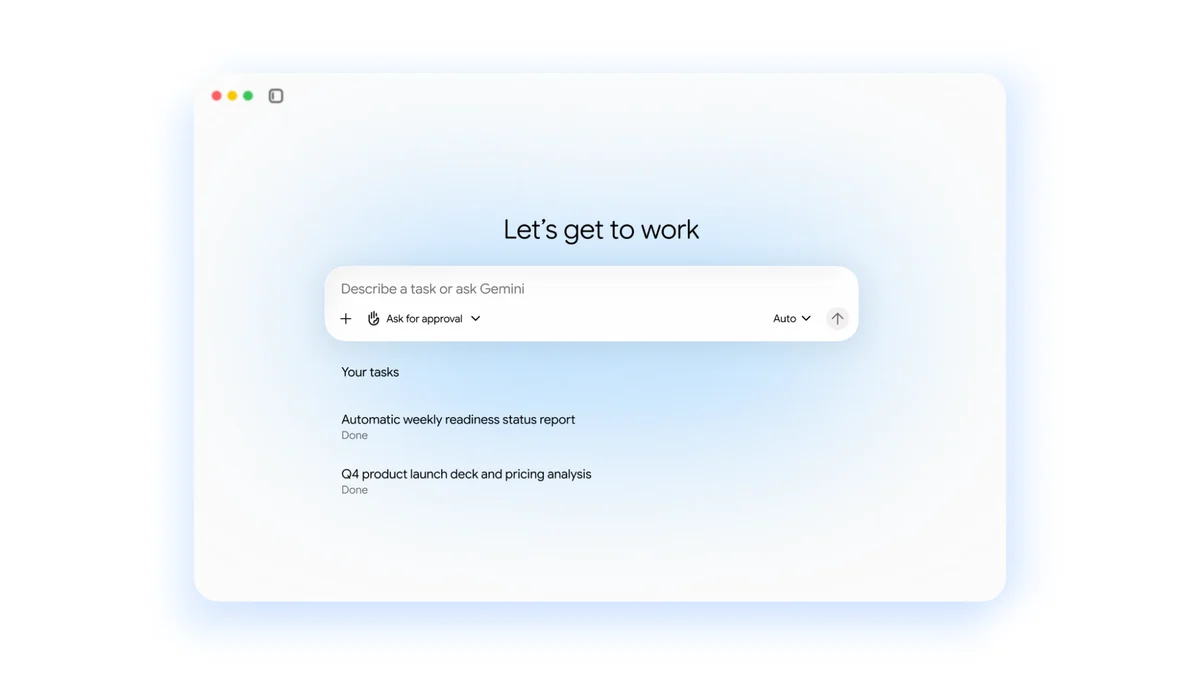
Google also describes coworker agents that receive their own Workspace account, email, calendar, and Drive presence. Colleagues can involve them in work through familiar sharing and mentions. These agents are supposed to act with their own identity and the context shared with them.
Our read is that Google is trying to make agents fit into the team's existing collaboration habits. That could matter more than a new desktop window. A group can ask an agent to prepare launch materials, review the work in its normal tools, and continue the project without treating one person's private chat as the center of everything.
Skills make the workflow reusable—with a current limitation
Skills let people reuse instructions for tasks such as applying brand guidelines or preparing a vendor evaluation. Google supports combining skills and the Markdown-based SKILL.md format. But its Workspace rollout notice explicitly says skills do not currently sync between the Gemini app and Workspace apps; users must create them separately.
The dates matter, too. Workspace skills began rolling out on October 5, with timing varying by release track. Gemini app skills are scheduled to begin on October 13. On this article's publication date, October 12, that app rollout is still ahead.
This is a useful reality check on Google's continuity pitch. The architecture points toward one connected agent, while individual features are still arriving on different schedules. People evaluating the product should look at what their account can do today.
How do they compare with Claude Code and Codex?
There is a reason coding agents keep coming up in a conversation about office work. Their basic loop—read the material, plan a change, use tools, inspect the result—is also useful for research, spreadsheets, presentations, and internal operations.
Claude Code’s desktop documentation describes an environment for working with project files, running commands, reviewing changes, and managing independent sessions. It remains a strong fit when the work revolves around a codebase and the user wants close control over implementation.
For broader office tasks, Claude Cowork is a closer comparison. Anthropic's current guidance says new Cowork tasks on Pro and Max plans run in the cloud from October 6, with sessions available across devices. Cloud work can continue after the laptop closes, although access to local folders still needs the desktop app open. Chat and Cowork are also being unified for those plans.
OpenAI's current documentation similarly treats ChatGPT Work and Codex as overlapping capabilities. Codex presents developer detail and review tools, while Work emphasizes finished outputs in accessible language. Both can handle knowledge work; the difference includes the interface and how the work is presented.
Computer Use adds desktop interaction on supported macOS and Windows accounts. OpenAI also has skills and plugins for reusable workflows and connected tools. These products already reach beyond a terminal, so it would be misleading to call general task execution a feature Microsoft and Google alone invented.
There is also a separate GitHub Copilot desktop app, generally available since June, built around repositories, parallel sessions, diffs, and pull requests. Copilot Code inside the work app shares technology with that development ecosystem but targets a different starting point. The person building a team tracker and the developer maintaining a production service have different needs.
Copilot vs Gemini vs Claude and Codex: the practical differences
The following is our assessment of where the products are most compelling, based on their documented workflows. It is not a benchmark ranking or a claim that every announced feature is available to every account.
| Workspace | Strongest practical case | What to examine closely |
|---|---|---|
| New Microsoft Copilot | Microsoft 365 teams that need editable Office output and small internal apps. | Which new modes are enabled, the app's operating owner, and usage charges. |
| Gemini desktop and enterprise agent | Google-centered teams that want tasks to travel through their existing collaboration tools. | Access to the announced agent, skill continuity, and the quality of shared context. |
| Claude Code and Cowork | People who want focused project execution, with a developer environment or a general work experience. | The task's cloud/local requirements and how you review the completed work. |
| Codex and ChatGPT Work | Technical and mixed workflows where explicit tools, file outputs, and review views are useful. | Available plugins, desktop access, environment choice, and plan limits. |
For an Outlook-and-Excel organization, Microsoft's context and app hosting are persuasive reasons to evaluate Copilot first. For a Gmail-and-Drive organization, Google's direction is similarly compelling. In either case, that is a starting hypothesis to test, not evidence that a native integration automatically produces better answers.
Teams working across many vendors may put more weight on Claude or OpenAI's connection and workflow options. Developers should compare tools on the work they actually perform: how well they understand the repository, make a maintainable change, run the right checks, and expose errors for review.
What is available now, and what does it cost?
The rollout is uneven. Copilot Cowork is generally available, but Microsoft is introducing the newest Home and Code experiences through Frontier and keeping Autopilot in private preview. Copilot Managed Runtime is a public preview. Microsoft's getting-started guide also lists an assigned Microsoft 365 Copilot license, feature enablement, and usage-based billing as requirements.
Microsoft's current announcement distinguishes subscriptions for everyday assistance from usage-based billing for Cowork, Code, and Autopilot. A company should therefore budget for agent activity as well as seats. A subscription label alone will not tell you what a long task costs.
Google's Windows app is available, while the enterprise agent announcement describes a broader set of capabilities without a complete, per-feature general-release calendar. Skills have their own schedule. Installing Gemini or having a Workspace subscription does not by itself verify that the newest agent features are enabled.
We would avoid a neat four-way price table at this stage. Seats, included usage, model choice, runtime consumption, and previews are different products of the bill. The useful number is the cost of a successfully completed task, including the time spent correcting it.
Our opinion: the best workspace will reduce the handoff burden
The strongest part of these announcements is the attempt to close the gap between an impressive demonstration and something a colleague can actually use. Microsoft is investing in editable Office work and a place to run generated apps. Google is investing in continuity across tools and an agent that can participate in a team.
Those are substantial product ideas. They also put a lot of weight on the quality of business context. If an agent finds an old pricing sheet, misses a private project channel, or treats a draft as an approved decision, the fluent answer can still be wrong. Readers interested in this part of the problem can explore our guide to enterprise RAG and context engineering.
Persistent memory adds another consideration: the system needs to recognize when information becomes stale. Remembering last month's process is useful until the process changes. A dependable agent should make its sources visible, accept corrections, and let a team replace old instructions.
We also expect the cost of supervision to become a clearer differentiator. An agent that saves an hour but requires an hour of checking has not improved the job. A product that makes approvals, revisions, ownership, and exceptions easy to see may be more valuable than one that appears more autonomous in a demo.
That is why we would give Copilot and Gemini serious attention without declaring either a replacement for Claude Code or Codex. They are expanding the choices around where agent work happens. The best fit will depend on the task, the surrounding systems, and the user's ability to judge the result.
How to evaluate an AI workspace without getting lost in the announcements
Give two candidates the same bounded job. For example, ask each to prepare a weekly customer review from a defined folder, a current spreadsheet, and approved meeting notes. Specify that it should produce an editable presentation, show sources for key numbers, and flag missing information.
Then examine the handoff. Could you correct a slide without regenerating everything? Could a colleague open and continue the work? Did the agent use current evidence? What happened when a required file was unavailable? What did the finished task cost?
Only after that would we test recurrence or proactive work. Establish that the agent can complete and explain one useful task, then ask it to repeat the process. This gives you evidence about the workflow before you assign an ongoing responsibility.
If you need to understand the underlying model choices as well, our AI model library provides a separate reference. For organization-wide buying questions, see our Claude Enterprise guide and ChatGPT Enterprise guide.
Frequently asked questions
What is the new Microsoft Copilot?
Microsoft is redesigning its work app around Home, Code, and Autopilot. Home brings Chat and Cowork together, Code helps build small apps, and Autopilot is a persistent agent. Access to the newest experiences is staged through Frontier and previews.
Is Gemini desktop the same as the Gemini agent?
The Windows desktop app is an available entry point for Gemini. The enterprise Gemini agent announced in October describes a broader system for connected tasks and teamwork. Installing the app does not establish access to every enterprise capability.
Does Gemini run locally on my computer?
A native desktop interface does not mean the agent runs entirely on your device. Google describes the enterprise agent as cloud-based. Local files and connected apps still depend on the access you provide.
Are Copilot Code and GitHub Copilot the same product?
They share underlying technology but serve different workflows. Copilot Code brings small-app creation into the broader work app, while GitHub Copilot remains a development product for repositories, coding sessions, and pull requests.
How do these workspaces compare with Claude Code and Codex?
Copilot emphasizes Microsoft 365 context and managed internal apps; Gemini emphasizes connected Google workflows and persistent agents. Claude Code and Codex offer developer-oriented environments, while Claude Cowork and ChatGPT Work also cover office tasks. The useful comparison is the workflow and review experience.
Are the newest agent features included in a regular subscription?
Access and billing vary. Microsoft describes Cowork, Code, and Autopilot as usage-based work capabilities. Google is rolling out individual capabilities on different schedules, and OpenAI and Anthropic also apply plan and workspace limits. Check the exact feature in your account.
What we would watch next
Three developments would make these workspaces more convincing: broader access to the announced features, clear evidence that people can maintain the outputs, and predictable costs for recurring work. We would also watch how well instructions and context travel between a private task and a shared team workflow.
For now, the new Copilot and Gemini show where workplace AI is heading. The competition is increasingly about turning a goal into work that survives outside the conversation. The products that make that transition dependable will earn the most useful role in a team's day.
Sources and editorial approach
Reviewed October 12, 2026. This article draws on official product announcements and documentation from Microsoft, the Copilot Managed Runtime team, Google Cloud, the Gemini app team, Google Workspace, Anthropic, and OpenAI. Linked sources support the product details near them. The screenshots and illustrations are provider material, attributed in their captions.
The recommendations and judgments are Cody's editorial assessment of those documented workflows. We did not run a controlled four-product benchmark or independently verify the launch demonstrations. Preview descriptions describe announced capabilities; account-level access may differ.