

- AI Knowledge Base
- AI Tools
- Artificial Intelligence
The 8 Best AI Chatbots for Lead Capture in 2026
Compare eight AI chatbots for lead capture by qualification, CRM handoff, channel, pricing, and fit—from proactive website agents to social DM automation.
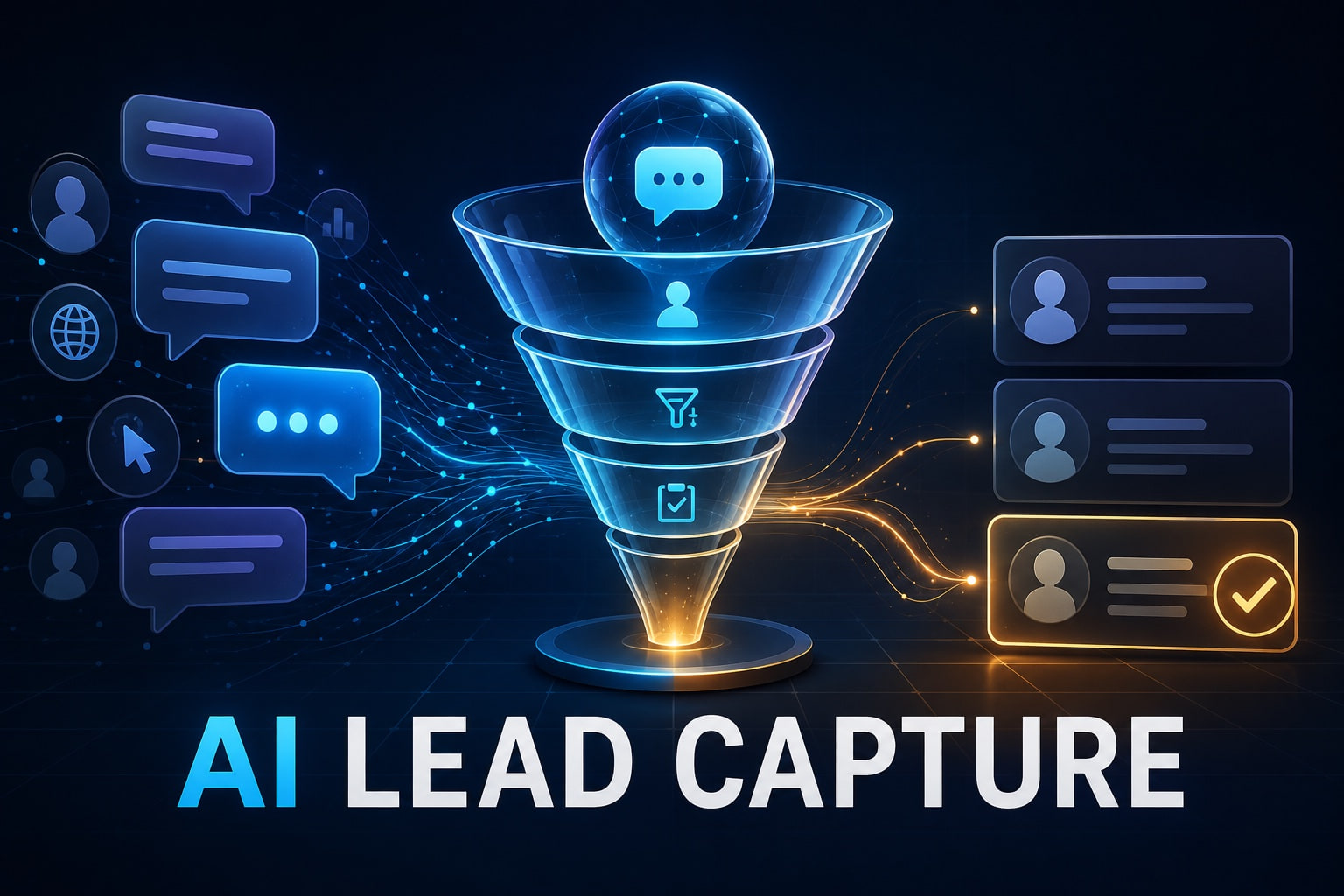
The best lead-capture chatbot is not the one that collects the most email addresses. It is the one that turns the right conversations into complete, usable opportunities.
A visitor lands on your pricing page at 11:47 p.m. They have a technical question, want to know whether your product fits their workflow, and are willing to talk to sales if the answer is yes. A static form can take their details. A capable AI chatbot can answer the question, discover intent, qualify the opportunity, and route the conversation while interest is still high.
That is why searches for the best AI chatbot for lead capture are really searches for several things at once: a website assistant, a conversational form, a qualification layer, a CRM bridge, and sometimes an appointment scheduler.
We reviewed current first-party documentation for eight credible options. This guide explains where each one fits, where it does not, and how to test lead quality instead of being distracted by a long feature list.
Quick answer
Choose Cody Convert for proactive, knowledge-grounded website qualification; Qualified Piper for a Salesforce-centered enterprise AI SDR; HubSpot Customer Agent for a HubSpot-native funnel; Drift for established conversational marketing; Landbot for configurable no-code flows; Chatbase for a fast knowledge bot with lead actions; Manychat for social DMs; and Tidio for an SMB-friendly mix of AI, automation, and live chat.
Best AI chatbots for lead capture at a glance
| AI chatbot | Best for | How it captures and qualifies | Pricing entry* |
|---|---|---|---|
| Cody Convert | Proactive, knowledge-heavy website conversations | Uses visitor intent and approved content, qualifies in chat, books meetings, and hands context to sales | Early access from $299/month |
| Qualified Piper | Enterprise B2B and Salesforce teams | AI SDR conversations, account signals, qualification, routing, meetings, and follow-up | Custom quote |
| HubSpot Customer Agent | Companies already running HubSpot | Answers from connected content, captures and qualifies prospects, then writes the context into the CRM | Professional or Enterprise plus HubSpot Credits |
| Salesloft Drift | Conversational marketing and ABM | Playbooks, visitor intelligence, personalized chat, real-time rep routing, and meeting booking | Talk to sales |
| Landbot | Custom no-code lead journeys | Combines structured flows with AI, fields, scoring, CRM integrations, webhooks, and live handoff | Free builder; AI plans from €32/month billed annually |
| Chatbase | Fast deployment from existing content | Knowledge-grounded answers plus a configurable lead form, contacts, actions, and a lead webhook | Free test; paid plans from $32/month billed annually |
| Manychat | Instagram, TikTok, WhatsApp, and Messenger leads | Turns comments and DMs into automated conversations, contact records, tags, and follow-up flows | Free automation; AI on Pro from $29/month billed annually |
| Tidio | SMBs combining support, sales, and live chat | Lyro handles open questions while Flows collect data and trigger scripted conversion paths | Free entry; Lyro and Flows sold separately |
*Public pricing checked September 5, 2026. Taxes, billing cycles, usage, required add-ons, and regional availability can change the actual price. Verify the current plan before buying.
How we evaluated these lead-generation chatbots
There is no defensible universal leaderboard for chatbot conversion. Traffic quality, offer, page intent, conversation design, and sales follow-up can matter as much as the software. We therefore compared each tool against the jobs a lead-capture system must perform:
- Engagement: Can it start or continue a useful conversation at the right moment?
- Grounded answers: Can it answer product questions from approved business information?
- Data capture: Can it collect the fields your team genuinely needs without recreating a long form?
- Qualification: Can it apply fit and intent criteria, not merely save an email address?
- Routing and handoff: Can it reach the correct rep, calendar, CRM, or nurture path with context attached?
- Control: Can your team inspect conversations, set boundaries, and improve weak points?
- Total cost: Does the billing unit—contacts, conversations, AI replies, seats, or a sales contract—fit expected volume?
We used current public product pages, documentation, and pricing rather than affiliate rankings. Vendor-published performance claims are not treated as independent test results. Cody Convert is a Cody product and is clearly identified below as early access.
1. Cody Convert: best for proactive, knowledge-grounded qualification
Cody Convert is designed for websites where the buyer needs a real answer before they are ready to convert. It learns from approved website and knowledge-base content, watches intent signals such as traffic source, pages viewed, return visits, time on page, and browsing language, then opens a relevant conversation when the configured threshold is reached.
That combination is important. A conventional lead bot often begins with “How can we help?” and immediately asks for an email. Convert can begin with the decision the visitor appears to be making, answer objections from the company’s own information, recommend a next step, qualify genuine interest, book a meeting, and hand the conversation to sales with context.
Best for: B2B, SaaS, and complex services where product knowledge and visitor intent should shape the conversion.
Watch out for: Convert is in early access. Public plans currently start at $299 per month, so it is not the logical choice if all you need is a cheap three-field form.
2. Qualified Piper: best enterprise AI SDR for Salesforce teams
Piper from Qualified is closer to an autonomous inbound SDR than a basic chatbot. It can hold text, voice, or video conversations, combine website behavior with go-to-market data, qualify buyers, route them, schedule sales meetings, send personalized emails, and collaborate through Slack.
Qualified’s strongest fit is an enterprise B2B organization with a mature Salesforce motion. Its current plans include Salesforce reporting, account segmentation, advanced meeting routing, and integrations with more than 20 go-to-market systems. The company publishes customized plans rather than self-serve prices.
Best for: High-value inbound pipeline, account-based selling, and sales teams that want an AI SDR across website and email.
Watch out for: The platform and implementation scope may be more than a small company needs. Evaluate it on qualified opportunities and pipeline, not raw conversation volume.
3. HubSpot Customer Agent: best for a HubSpot-native funnel
HubSpot Customer Agent answers from connected web pages, knowledge articles, PDFs, and other business content. HubSpot now positions it across service and lead generation: the agent can capture and qualify prospects, guide them toward a meeting, route the right lead to a rep, and preserve conversation and campaign context in the CRM.
The advantage is not merely that the chatbot “integrates with HubSpot.” It already lives inside the customer platform where contacts, lifecycle stages, ownership, forms, workflows, meeting links, and reporting are managed. That reduces the number of syncs a RevOps team must debug.
Best for: Teams already standardized on HubSpot that want lead capture, CRM records, automation, and reporting in one system.
Watch out for: Customer Agent is tied to Professional or Enterprise subscriptions and HubSpot Credits. The current product page says a qualified lead can count as a billable resolution, so model total usage rather than looking only at the headline per-resolution rate.
4. Salesloft Drift: best for conversational marketing and ABM
Drift, now part of Salesloft, remains one of the clearest examples of conversational marketing. It can identify and segment website audiences, personalize chat using marketing and CRM data, qualify visitors, route valuable accounts to a live rep, and let buyers book meetings after hours.
Its playbook model is useful for marketing teams that want different experiences for a target account, a returning visitor, paid campaign traffic, or a customer seeking support. Drift also offers testing and analytics around those playbooks rather than treating the widget as a single generic funnel.
Best for: Established B2B marketing teams running account-based campaigns and coordinated sales handoffs.
Watch out for: Pricing is sales-led, and the wider Salesloft platform can make the buying decision larger than “which chatbot widget?” Clarify required products, reply or site-visit limits, integrations, and implementation services.
5. Landbot: best no-code control over the lead journey
Landbot is a visual chatbot builder for teams that want to design the journey themselves. A marketer can combine deterministic buttons, fields, conditions, lead scoring, and A/B tests with an AI agent for open-ended questions. Bots can run on the web and, on qualifying plans, WhatsApp.
This hybrid approach is valuable when parts of the flow must be exact. AI can understand the visitor’s problem, while structured logic can collect required fields, apply an eligibility rule, sync a record, or choose between signup, sales, and nurture paths. Professional plans add CRM integrations and webhooks.
Best for: Growth teams and agencies that want a deeply customized conversational funnel without building a chatbot application from scratch.
Watch out for: Flexibility creates design work. A sprawling decision tree can become as frustrating as a long form. Landbot also meters normal chats and AI chats separately, so forecast both.
6. Chatbase: best for launching quickly from existing content
Chatbase makes it quick to create a knowledge-grounded AI agent from documents, websites, or databases and embed it on a site. Its built-in Collect Leads action can display a form at a chosen point in the conversation and collect name, email, and phone number. A webhook can send submitted data and the conversation ID to another system.
Chatbase also supports contacts, custom API actions, help-desk escalation, and Calendly or Cal.com actions. That makes it a pragmatic option when a team wants useful Q&A first and a straightforward lead action second.
Best for: Startups and small teams that want to turn existing content into a working website agent quickly.
Watch out for: The standard lead form is intentionally limited to three fields. Free accounts can test the agent, but the current pricing table shows no AI actions on Free; check the action allowance and message-credit model on the paid tier you choose.
7. Manychat: best for capturing leads from social conversations
Manychat is the outlier in this list because its center of gravity is not the website. It turns comments and direct messages on Instagram, TikTok, WhatsApp, Facebook Messenger, and other channels into automated conversations. Flows can collect contact details, tag and segment people, deliver a resource, and continue follow-up without sending every lead to a landing page.
The current Pro plan adds AI-powered conversations that can learn the business and guide DMs toward a goal. For a creator, ecommerce brand, or local business whose prospects begin in comments and messages, this may be more valuable than the most sophisticated website bot.
Best for: Social-first acquisition, comment-to-DM campaigns, creators, and brands with a meaningful Instagram or WhatsApp funnel.
Watch out for: Manychat bills around active contacts and channel access. It is not the best choice if the core problem is identifying enterprise website accounts or answering a deep technical evaluation.
8. Tidio: best SMB mix of AI, automation, and live chat
Tidio combines three related products: live customer service, Lyro AI Agent, and scripted Flows. Lyro answers open questions from support content and can perform guided actions such as lead qualification. Flows can proactively trigger, collect data, request a quote, apply a conversion path, and transfer a conversation to a person.
That mix works well for a small business that does not want separate systems for website chat, repeat support questions, simple lead automation, and human takeover. Tidio also lists CRM and automation connections including HubSpot, Pipedrive, Zoho CRM, Zapier, and an OpenAPI.
Best for: Ecommerce and SMB teams that want support and lead generation in the same inbox.
Watch out for: Lyro and Flows are distinct products with separate quotas. Map which steps require generative AI and which require scripted automation before estimating cost.
Which lead-capture chatbot should you choose?
| If your main requirement is… | Start with… | Also compare… |
|---|---|---|
| Proactive website conversations grounded in detailed business knowledge | Cody Convert | Chatbase, HubSpot Customer Agent |
| Enterprise inbound SDR automation with Salesforce | Qualified Piper | Salesloft Drift |
| One HubSpot-native record and reporting layer | HubSpot Customer Agent | Qualified Piper |
| ABM audiences, playbooks, and live-sales routing | Salesloft Drift | Qualified Piper |
| A custom no-code funnel across web or WhatsApp | Landbot | Tidio |
| Fast Q&A plus a simple lead form | Chatbase | Tidio |
| Instagram, TikTok, or WhatsApp DMs | Manychat | Landbot |
| Low-cost support, automation, and human handoff together | Tidio | Chatbase |
Lead capture is not the same as lead qualification
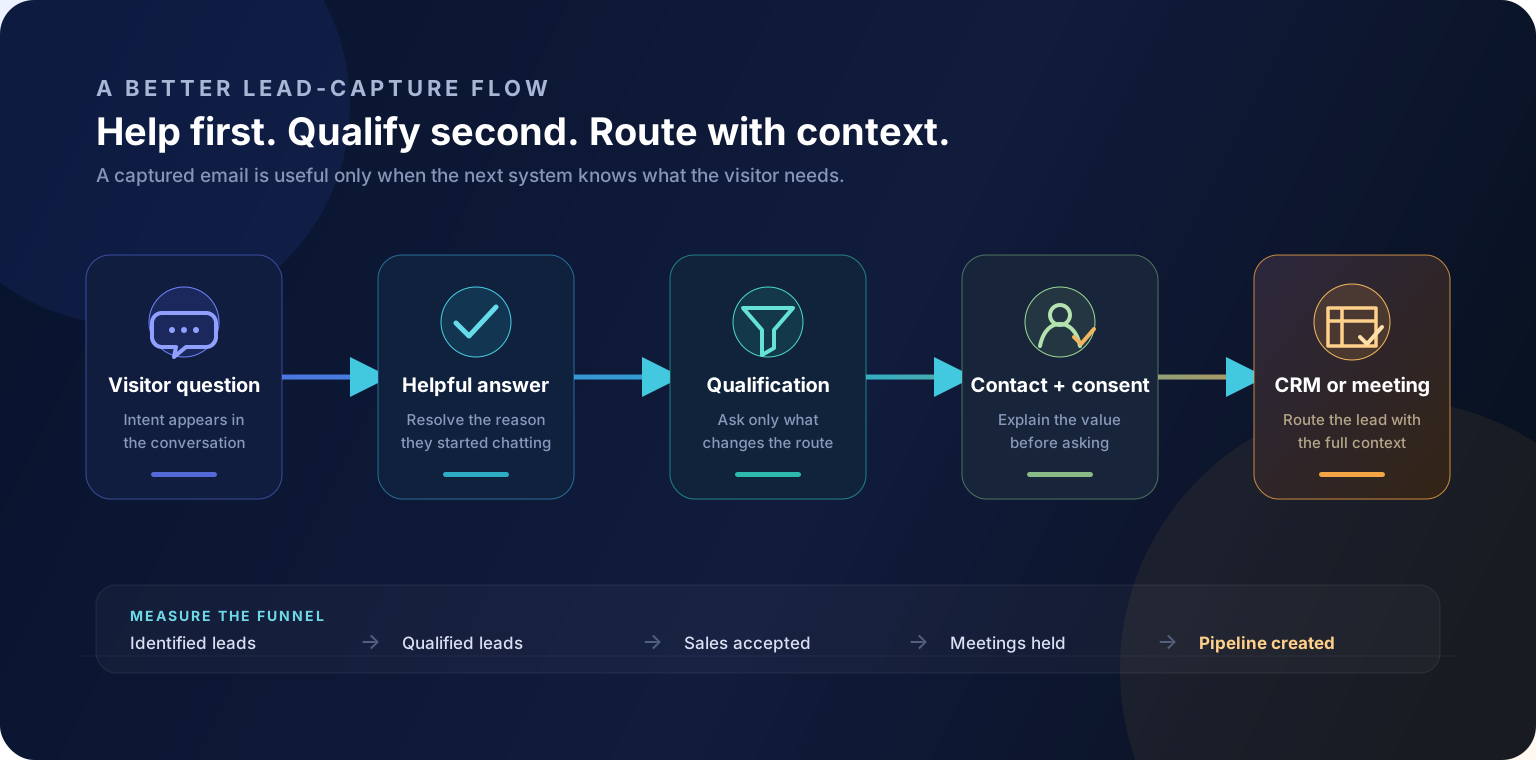
A chatbot has captured a lead when it can associate a conversation with a person. It has qualified a lead when it has gathered enough reliable information to choose the next action.
That distinction protects both conversion rate and sales time. If every person who provides an email is pushed to the same calendar, reps inherit spam, support requests, students, vendors, and prospects outside the service area. If the bot interrogates every visitor with ten mandatory questions, serious buyers leave.
A practical flow asks only what changes the route. For example:
- Resolve the visitor’s immediate question.
- Ask what they are trying to achieve.
- Collect one or two fit signals, such as company size, location, use case, or timing.
- Explain why contact information is useful before requesting it.
- Offer the appropriate next step: self-serve signup, meeting, live representative, resource, or follow-up.
- Send the answers and conversation summary into the system your team already works from.
AI chatbot vs. lead form: which converts better?
A chatbot reduces friction when the visitor has uncertainty. It can answer “Will this work with our stack?” before asking for a demo. A form is faster when the visitor has already decided and simply wants to submit details.
For that reason, “chatbot versus form” is often the wrong test. A better design gives high-intent visitors a direct form or booking path and gives uncertain visitors a conversation. Test by traffic source and page intent, then compare qualified pipeline—not just the percentage of people who started a chat.
Seven steps to implement lead capture without creating a bad bot
- Define a qualified lead. Write the minimum criteria sales actually uses.
- Choose the source of truth. Decide which product pages, policies, CRM fields, and knowledge sources the agent may use.
- Ask fewer questions. Every field should affect an answer, route, score, or follow-up.
- Design explicit outcomes. Include meeting, signup, nurture, support, and human-handoff paths rather than forcing every visitor into sales.
- Map the CRM handoff. Test ownership, duplicate handling, required fields, consent, transcript links, and failed syncs.
- Test adversarially. Try vague answers, fake emails, unsupported locations, pricing objections, off-topic prompts, and requests for a person.
- Optimize after launch. Review unanswered questions and drop-off points weekly before adding more automation.
Metrics that reveal whether the chatbot is working
- Conversation-to-identified-lead rate shows whether visitors are willing to exchange details.
- Identified-to-qualified rate reveals whether the bot is attracting and filtering the right audience.
- Sales acceptance rate measures whether the handoff is useful to the people receiving it.
- Lead-to-meeting and meeting-to-opportunity rates connect chat activity to a real funnel.
- Cost per qualified lead is more comparable across pricing models than cost per conversation.
- CRM completion and sync-failure rates expose operational problems hidden by a healthy-looking chat dashboard.
- Unanswered-question rate tells you what content or guardrail to improve next.
Frequently asked questions
What is the best AI chatbot for lead capture?
The best choice depends on where leads arrive and where their data must go. Cody Convert suits knowledge-heavy website qualification, Qualified and Drift suit enterprise B2B, HubSpot is strongest for HubSpot-native teams, Landbot offers flexible no-code flows, Chatbase is quick to launch, Manychat is social-first, and Tidio combines AI with live chat.
Can an AI chatbot collect names, email addresses, and phone numbers?
Yes. Most lead-generation chatbots can collect contact details through conversational questions or an embedded form. The important checks are whether custom fields are supported, whether consent is recorded, and whether the data reaches your CRM reliably.
How does a chatbot qualify leads?
A chatbot asks a short sequence of questions about need, company, budget, location, timing, or another fit criterion. It can combine those answers with page activity or CRM data, then route qualified prospects, offer a meeting, or send lower-intent visitors to useful content.
What is the best free AI chatbot for lead generation?
Chatbase, Landbot, Manychat, and Tidio have free entry points, but their free tiers limit contacts, conversations, AI actions, or automation. Use a free plan to validate the conversation and integration before comparing the paid cost per qualified lead.
Should a chatbot replace a website lead form?
Usually not everywhere. Chat works well when visitors have questions or need help choosing. A short form remains useful for people who already know what they want. Many teams get better coverage by testing both paths and measuring qualified pipeline rather than form completion alone.
How should chatbot lead capture be measured?
Track conversation starts, identified leads, qualified leads, meetings booked, sales acceptance, pipeline created, and cost per qualified lead. Also monitor drop-off by question and the percentage of records that reach the CRM with complete, usable data.
Is chatbot lead capture compliant with privacy rules?
It can be, but the chatbot does not make a workflow compliant by itself. Collect only necessary data, explain its purpose, preserve consent where required, control retention and access, and review the vendor and integration chain against the rules that apply to your business.
Sources and methodology
This comparison was researched from first-party product pages and documentation available on September 5, 2026: Cody Convert, Qualified, HubSpot, Salesloft Drift, Landbot, Chatbase, Manychat, and Tidio. Product capabilities and prices can change. Shortlist two or three tools and test them with the same real traffic, qualification definition, and downstream workflow.
The bottom line
The best AI chatbot for lead capture does three things in order: it helps, it learns enough to choose the right next step, and it preserves the context for whoever takes over. If it only hides a form inside a chat bubble, the “AI” label is not doing much work.
For a knowledge-heavy website, Cody Convert is designed around that full path from intent to informed handoff. For a different channel or stack, the alternatives above may fit better. Start with the funnel you need, then choose the chatbot—not the other way around.
If a booked meeting is your primary conversion, compare the best AI chatbots for appointment scheduling for a closer look at calendar actions, routing, confirmations, and rescheduling.