

- AI Knowledge Base
- AI Tools
- Artificial Intelligence
The 7 Best AI Chatbots for Appointment Scheduling in 2026
Compare seven AI scheduling chatbots by calendar experience, qualification, routing, human handoff, pricing, and fit for sales or service appointments.
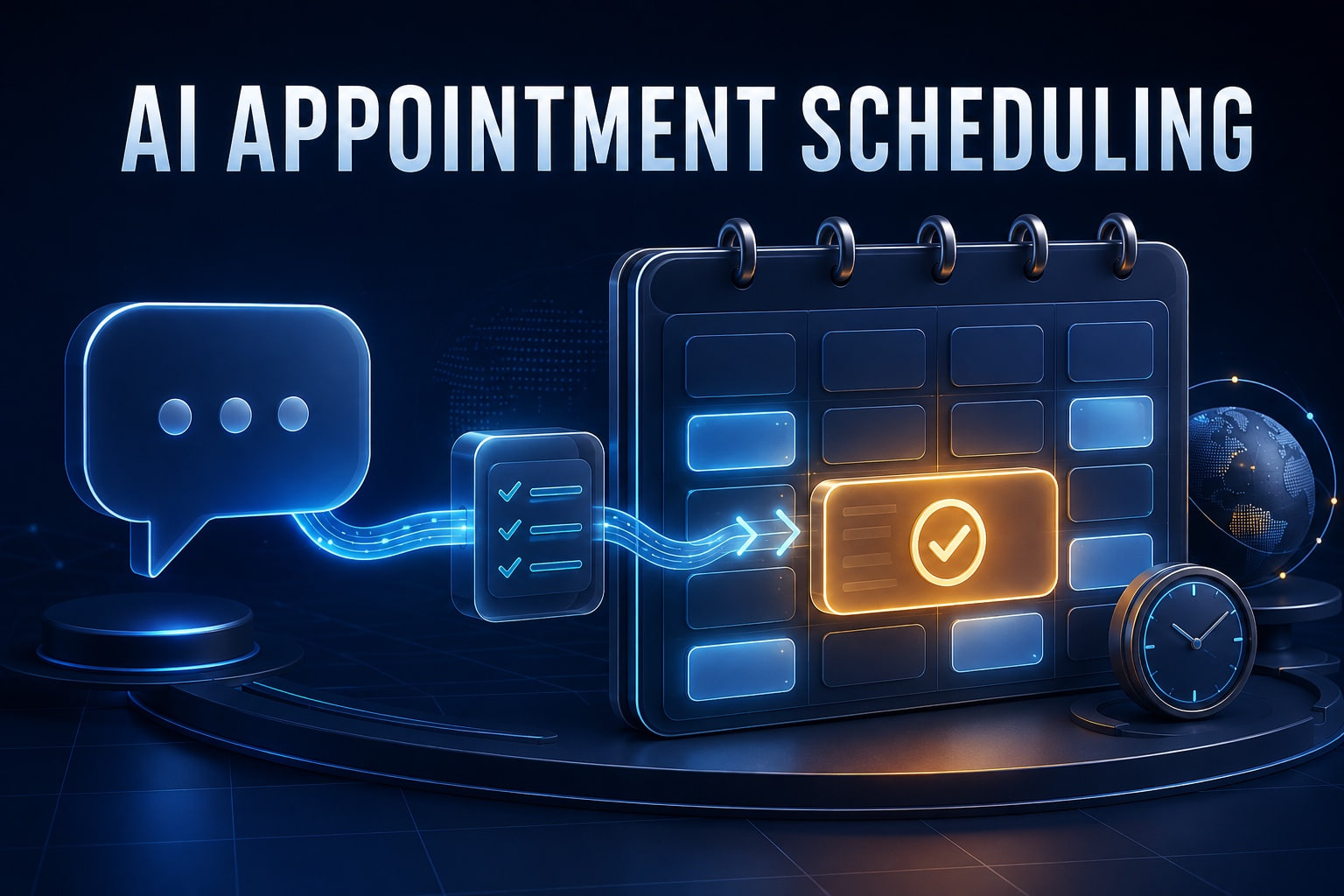
A booking link shows a calendar. A good appointment chatbot understands what the customer needs, sends them to the right calendar, and confirms that the appointment actually exists.
Appointment scheduling looks simple until a real customer enters the conversation. Which service do they need? Are they in the right location? Should they meet sales, support, a recruiter, or a specialist? Which time zone applies? Can they reschedule? What happens when no slot fits?
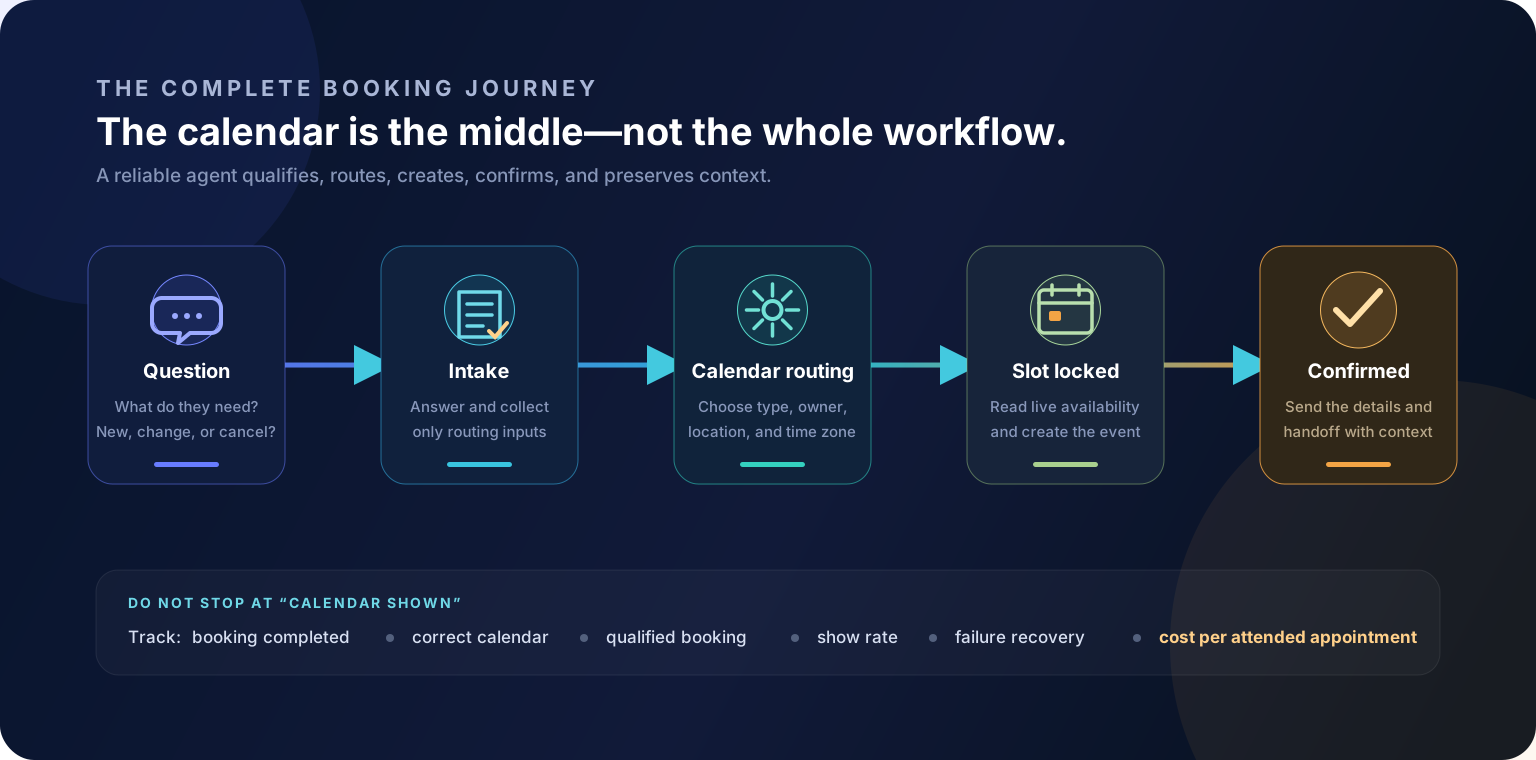
The best AI chatbots for appointment scheduling handle more than “Here is our Calendly.” They answer questions, collect the minimum intake information, qualify or route the request, check live availability, complete the booking, and pass useful context to the person taking the meeting.
We reviewed seven current options across website chat, WhatsApp, CRM-native sales, and human-backed reception. The right choice depends less on the prettiest chat window and more on the booking workflow behind it.
Quick answer
Choose Cody Convert when a consultative B2B visitor should be answered and qualified before booking; Chatbase for a simple self-serve Calendly or Cal.com action; Landbot for custom no-code web or WhatsApp flows; Smith.ai for human-backed professional intake; HubSpot Customer Agent for CRM-native routing; Qualified Piper for enterprise sales calendars; and Tidio for a lightweight support-to-Calendly path.
Best AI appointment scheduling chatbots at a glance
| AI chatbot | Best for | Booking experience | Pricing entry* |
|---|---|---|---|
| Cody Convert | Knowledge-heavy B2B qualification | Answers objections, qualifies interest, books in the conversation, and hands context to sales | Early access from $299/month |
| Chatbase | Simple self-serve setup | Pulls Calendly or Cal.com availability and lets the visitor book through the AI agent | Free test; paid plans from $32/month billed annually |
| Landbot | Custom booking logic on web or WhatsApp | Connects a calendar, asks intake questions, answers FAQs, and offers slots in a designed flow | Free builder; AI plans from €32/month billed annually |
| Smith.ai | Professional services needing human backup | AI-powered Q&A plus 24/7 agents who qualify and book with the preferred scheduling tool | À la carte or monthly chat plans; appointment add-on |
| HubSpot Customer Agent | CRM-native qualification and rep routing | Qualifies from the conversation and books the correct HubSpot rep with context logged | Professional or Enterprise plus HubSpot Credits |
| Qualified Piper | Enterprise B2B and Salesforce routing | Uses account and intent signals to qualify, choose an owner, and serve an in-context meeting booker | Custom quote |
| Tidio | SMBs combining support and booking | Lyro detects scheduling intent and can present a Calendly link, with Flows and live chat around it | Free entry; Lyro and Flows sold separately |
*Public pricing checked September 5, 2026. Taxes, billing cycles, usage, add-ons, and regional availability can change the actual price. Verify the current plan and calendar integration before buying.
How we evaluated appointment scheduling chatbots
A feature page that says “Calendly integration” does not tell you whether the bot can display live slots, create the event, route among calendars, or simply paste a link. We looked for the full scheduling chain:
- Question answering: Can the bot resolve service, product, location, price, and preparation questions before booking?
- Qualification and intake: Can it collect only the information needed to choose the right appointment?
- Live availability: Does it use current calendar availability instead of suggesting imaginary times?
- Routing: Can it select by territory, account owner, appointment type, language, or location?
- Completion: Can the customer complete the booking in the conversation, or must they open another page?
- After-booking operations: Are confirmation, reminders, CRM context, rescheduling, cancellation, and human exceptions supported?
- Cost and control: Are permissions, quotas, human escalation, and failure reporting practical for the business?
We used first-party product documentation and pricing, not affiliate rankings. We did not assume that every paid tier includes every integration. Vendor performance claims are not treated as independent tests. Cody Convert is our own product and is labeled as early access.
1. Cody Convert: best for consultative B2B scheduling
Cody Convert is built for the moment before a meeting link becomes useful. It reads visitor intent, opens a relevant conversation, and answers from approved website and knowledge-base content. It can handle objections, recommend the next step, qualify genuine interest, book a meeting, and send the full conversation context to sales.
This is a strong pattern for products and services where a buyer asks several substantive questions before agreeing to a demo. The agent can help them decide whether the meeting makes sense rather than treating every site visit as an appointment request.
Best for: SaaS, B2B services, and complex buying journeys where knowledge-grounded qualification should happen before the calendar appears.
Watch out for: Convert is currently in early access. Public plans start at $299 per month, and teams should validate their exact calendar, CRM, routing, rescheduling, and cancellation requirements during onboarding.
2. Chatbase: best straightforward Calendly or Cal.com chatbot
Chatbase has a particularly clear self-serve scheduling action. After connecting Calendly, an administrator selects the event type and writes natural-language instructions for when the agent should search. Chatbase’s current actions overview says the agent can show available slots from Calendly or Cal.com and let the user book through the chat.
Because the same agent can be trained on websites and documents, it can answer questions before invoking the calendar. Teams can also add lead collection, custom API actions, contacts, and help-desk escalation.
Best for: Small and mid-sized teams that already use Calendly or Cal.com and want a knowledge bot with a simple booking action.
Watch out for: Chatbase prices by message credits and limits the number of actions by plan. Confirm that your plan includes the calendar action, then test whether confirmations, rescheduling, round-robin ownership, and analytics meet your needs.
3. Landbot: best for custom no-code appointment flows
Landbot’s AI Appointment Assistant is designed around a configurable process. A builder connects Google Calendar, defines meeting duration and availability, chooses the intake questions, provides company information for FAQs, selects web or WhatsApp, and configures notifications.
Landbot is especially useful when booking must sit inside a larger deterministic journey. A flow can apply qualification conditions, save fields, branch by service or location, hand off to a person, sync a CRM, and use AI only for the open-ended parts.
Best for: Agencies, property businesses, education, and service teams that want to design different booking paths without maintaining a custom application.
Watch out for: Calendar and premium CRM integrations may require a higher plan. Long visual flows also need governance; name fields consistently, document conditions, and test every branch after an integration changes.
4. Smith.ai: best for human-backed appointment booking
Smith.ai Web Chat combines AI-powered Q&A with 24/7 live agents who can qualify leads, perform intake, and book appointments through a preferred scheduling tool. That human layer makes it different from a purely autonomous widget.
For a law firm, home-service company, financial practice, or another high-value service, the unusual request matters. A customer may need to explain a situation, pay a fee, request a special time, or speak to someone before booking. Smith.ai can use AI for routine questions and trained people for the transaction and exceptions. Its broader AI Receptionist product also handles scheduling by phone.
Best for: Professional and local services where a missed or mishandled appointment is expensive and human backup is worth paying for.
Watch out for: Web Chat is priced per relevant chat or monthly chat allowance, and appointment booking is currently an additional per-chat fee. Compare cost per booked and attended appointment rather than cost per message.
5. HubSpot Customer Agent: best for CRM-native scheduling and routing
HubSpot Customer Agent can engage inbound visitors, answer from approved business content, qualify against configured criteria, and book meetings with the right rep. The resulting context stays alongside the contact, campaign activity, ownership, and downstream workflows in HubSpot.
That native data model is the main reason to choose it. If a territory, lifecycle stage, existing owner, or CRM property should determine the calendar, keeping conversation and routing in one customer platform can be cleaner than joining several systems through middleware.
Best for: Marketing and sales teams already using HubSpot for CRM, ownership, meeting links, workflows, and reporting.
Watch out for: Customer Agent runs on HubSpot Credits and Professional or Enterprise products. Define what counts as a billable outcome, which calendar wins when records conflict, and what the visitor sees when no eligible rep is available.
6. Qualified Piper: best for enterprise sales meeting routing
Qualified Piper is purpose-built for enterprise inbound pipeline. It can recognize high-intent activity, qualify or deflect a buyer, route them to an assigned sales rep, and display an in-context meeting booker before they leave the website. Qualified also applies scheduling across forms, buttons, conversations, and AI email follow-up.
The value is most visible when “show a calendar” is not enough. Enterprise teams may need Salesforce ownership, account rules, region, company size, campaign context, rep availability, and a fallback route to agree before a slot is offered.
Best for: High-volume B2B organizations with Salesforce and advanced account, territory, or representative routing.
Watch out for: Pricing is customized and implementation spans more than a chatbot. Test routing accuracy, duplicate ownership, after-hours behavior, and booked-to-held meeting quality with production-like data.
7. Tidio: best lightweight support-to-appointment path
Tidio offers a simpler scheduling pattern. Lyro can detect that a visitor wants to schedule a call and automatically provide a Calendly link. Around that moment, Lyro can answer support or product questions, Flows can collect information and guide a scripted journey, and a live operator can take over.
This may be enough for an SMB that already has a working Calendly page and mainly wants the chatbot to recognize intent and send people there. It avoids the cost and complexity of enterprise routing when everyone books the same type of meeting.
Best for: Smaller businesses that want chat, FAQs, simple lead capture, live handoff, and calendar-link delivery in one interface.
Watch out for: Providing a link is not the same as completing a booking inside the conversation. Lyro, Flows, and customer-service plans also have separate quotas, so confirm the combination required for the full journey.
In-chat booking vs. a calendar link
This is the most important distinction hidden by the phrase “appointment scheduling chatbot.”
| Experience | What happens | Best when | Main risk |
|---|---|---|---|
| Calendar-link handoff | The bot detects intent and opens or displays a scheduling page | There is one appointment type and the existing page already converts | Visitors can drop off when context and interface change |
| Embedded scheduler | Calendar controls appear inside or over the conversation | You want low friction without building API logic | The embed may not support every routing or change workflow |
| Native booking action | The agent checks slots and creates the event through an integration or API | Qualification, routing, and conversational booking should be one flow | Permissions and failure handling must be carefully tested |
| Human-backed booking | An agent completes scheduling and handles exceptions | Requests are valuable, sensitive, or frequently unusual | Higher variable cost and dependence on service quality |
Which scheduling chatbot fits your business?
| Business or workflow | Start with | Why |
|---|---|---|
| Consultative SaaS or B2B services | Cody Convert or Qualified Piper | They place qualification and sales context before the meeting |
| Small team already using Calendly or Cal.com | Chatbase | Direct calendar actions and a quick self-serve knowledge-agent setup |
| Custom web or WhatsApp intake | Landbot | Visual branches, fields, AI, calendar, and CRM steps can be designed together |
| Law, home services, or high-value professional intake | Smith.ai | Human agents can resolve exceptions instead of abandoning the visitor |
| HubSpot-centered revenue operations | HubSpot Customer Agent | Conversation, contact, ownership, calendar, and reporting share one platform |
| Simple support conversation followed by one booking link | Tidio | It combines AI answers, live chat, Flows, and Calendly-link delivery |
What a scheduling chatbot should do before it touches the calendar
- Identify the request. Distinguish a new booking from a change, cancellation, support question, or emergency.
- Answer the blocking question. Clarify service, price, location, preparation, eligibility, or product fit from approved information.
- Collect routing inputs. Ask only for details that choose the appointment type, owner, duration, or location.
- Verify contact information. A confirmation sent to a mistyped email or phone number does not prevent a no-show.
- Read live availability. Never let the language model invent or remember a slot.
- Confirm the transaction. Create the event first, then state the final date, time, time zone, attendee, and next step.
- Preserve context. Send the intake answers and a concise conversation summary to the calendar, CRM, or person taking the appointment.
How to set up an AI appointment chatbot safely
- Inventory appointment types and calendars. Include owners, territories, locations, durations, buffers, capacity, and blackout rules.
- Define eligibility. Write which requests may self-book, which need human review, and which should go elsewhere.
- Limit permissions. Give the integration only the calendar and fields it needs. Separate read availability from create, update, and cancel permissions where possible.
- Design confirmations. Display and send the exact date, local time zone, location or meeting link, preparation, and change policy.
- Create failure paths. Handle expired slots, double-book attempts, calendar downtime, no availability, bad contact data, and unsupported appointment types.
- Test changes and cancellations. Do not assume a tool that creates appointments can also find and modify them securely.
- Review sensitive data. Health, legal, financial, and employment intake may require stricter contracts, access controls, retention, and human review. Keep unnecessary details out of general chat transcripts.
Metrics that matter after launch
- Conversation-to-booking rate measures how often scheduling intent becomes a confirmed event.
- Booking completion rate separates people who saw a calendar from people who actually booked.
- Time to book reveals friction and unnecessary questions.
- Qualified-booking rate shows whether the calendar is filling with appropriate appointments.
- Show rate tests confirmation, reminders, expectation setting, and lead quality.
- Wrong-calendar and reassignment rate exposes routing errors.
- Automation failure and human-escalation rate reveal where the integration or conversation needs work.
- Cost per attended appointment lets you compare chat, contact, credit, and human-assisted pricing on equal terms.
Frequently asked questions
What is the best AI chatbot for appointment scheduling?
For simple self-serve booking, Chatbase is a strong option because its Calendly and Cal.com actions can show slots in chat. Landbot is better for custom no-code booking flows, Smith.ai for human-backed intake, HubSpot or Qualified for CRM-driven routing, Cody Convert for knowledge-heavy B2B qualification, and Tidio for an affordable support-to-Calendly path.
Can ChatGPT schedule appointments?
A language model by itself cannot safely edit a business calendar. It needs an action layer connected to Calendly, Cal.com, Google Calendar, Microsoft 365, a CRM scheduler, or a custom booking API, plus clear permissions and confirmation rules.
Can an AI chatbot book a Calendly meeting?
Yes. Some platforms display Calendly availability and booking controls inside the chat, while others detect scheduling intent and show a Calendly link. Test the exact experience because an embedded booking action creates less friction than sending the visitor to another page.
Can a scheduling chatbot reschedule or cancel appointments?
Some can, but booking support does not automatically include changes or cancellations. Confirm whether the integration can find an existing appointment, verify the customer, enforce cutoffs, update the calendar, and send a new confirmation.
Is an AI scheduling chatbot better than a booking link?
It is better when customers need answers, qualification, routing, or help choosing an appointment type. A plain booking link is often better for returning customers who already know the service and simply want the next available time.
Which businesses benefit most from appointment chatbots?
Sales teams, professional services, education, home services, property businesses, clinics, and multi-location organizations can benefit when the bot reduces back-and-forth. Regulated businesses should verify privacy, data-handling, and contractual requirements before sharing sensitive information.
How much does an AI appointment chatbot cost?
Entry plans range from free trials to roughly $30 per month, while CRM suites, enterprise AI SDRs, and human-backed services cost more. Compare the full cost of AI conversations, contacts, seats, calendars, integrations, human handoffs, and overages—not only the advertised base plan.
Sources and methodology
This comparison was researched from first-party product pages and documentation available on September 5, 2026: Cody Convert, Chatbase Calendly actions, Landbot AI Appointment Assistant, Smith.ai Web Chat, HubSpot, Qualified Meetings, and Tidio’s Calendly integration. Capabilities and prices change. Verify the exact calendar action on the plan you intend to use and test it against real routing rules.
The bottom line
If every visitor needs the same calendar, a booking link may be enough. Choose an AI appointment scheduling chatbot when the conversation needs to answer, qualify, route, or recover from exceptions before the meeting is confirmed.
For consultative website journeys, Cody Convert connects approved business knowledge with qualification and booking. Chatbase and Landbot provide more self-serve calendar workflows, while Smith.ai, HubSpot, Qualified, and Tidio solve distinct human, CRM, enterprise, and SMB needs. The winner is the tool that produces the right attended appointments with the least operational cleanup.
If identifying and qualifying the right visitors is the harder problem, see our guide to the best AI chatbots for lead capture.