

- AI tools
- Artificial Intelligence
What Is QuiverAI Arrow 2? The Editable SVG Model Explained
Arrow 2 turns prompts, sketches, and images into editable SVG graphics. Here is how QuiverAI's model works, what it costs, where Telos fits, and how it compares with Recraft and Adobe.
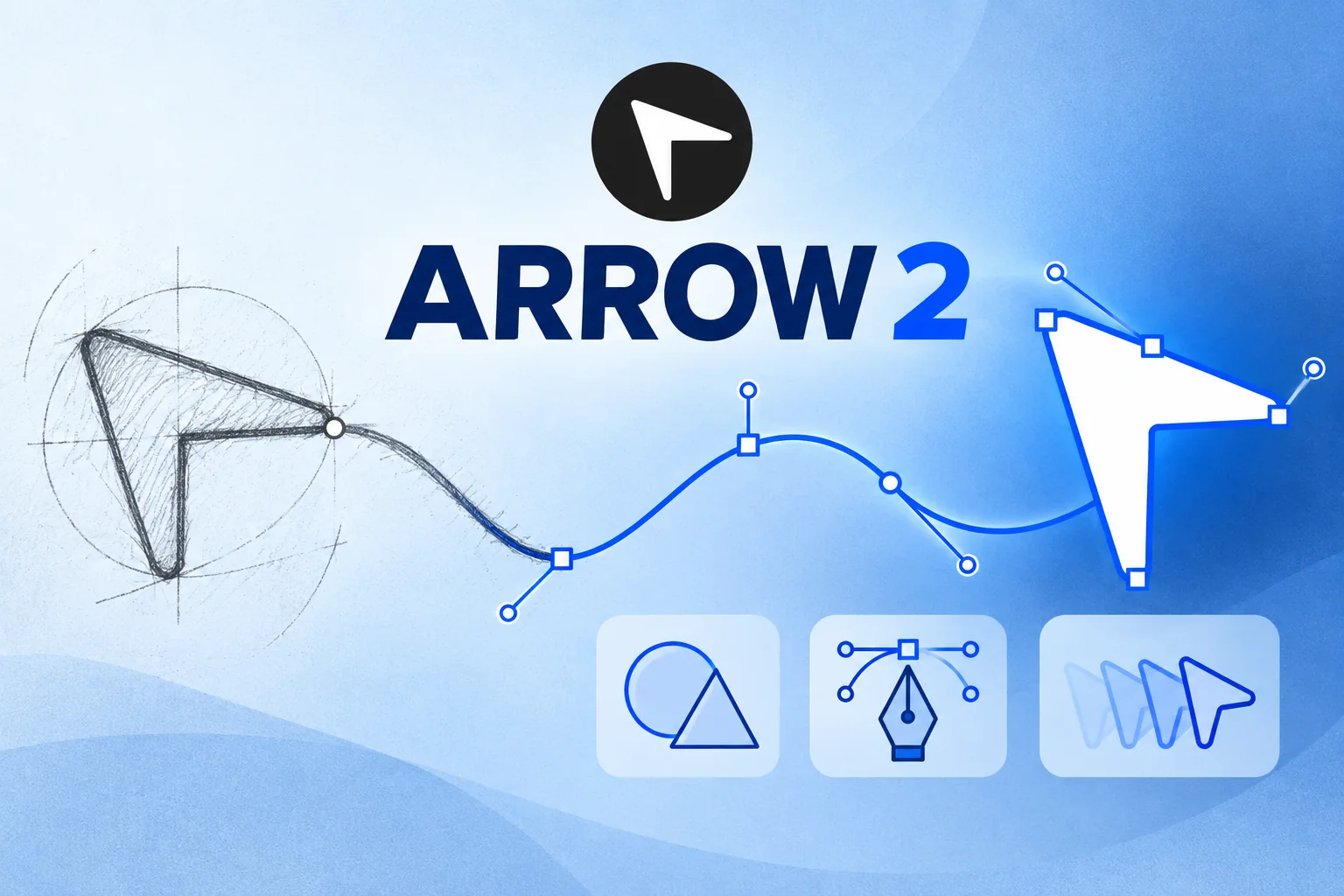
Most image models give you pixels. Arrow 2 is interesting because it tries to give designers and software the paths underneath the picture.
QuiverAI's Arrow 2 is a generative model for editable vector graphics. Give it a prompt, a sketch, a raster image, or an existing SVG, and it can create or revise an SVG made from paths, shapes, fills, groups, and animation. That puts it in a different lane from the photorealistic image models that dominate most AI-image conversations.
The distinction sounds technical, but the benefit is easy to understand. A raster generator gives you a finished grid of pixels. Arrow 2 aims to give you a graphic you can keep working on: recolor an icon, move a control point, resize it without blur, change a shape, or place the output directly into a web workflow.
This guide explains what is confirmed about Arrow 2, what changed from Arrow 1.1, how Arrow 2 compares with Arrow 2 Telos, where Recraft and Adobe fit, what the API costs, and which questions still need real-world testing. Cody does not sell access to Arrow 2; this is independent editorial coverage for people evaluating new AI models.
Quick answer — updated September 19, 2026
Arrow 2 is generally available through QuiverAI's app and API. It generates editable SVG, supports generation, editing, vectorization, and micro-animation, accepts up to 14 reference images, and is priced by input and output tokens. QuiverAI also offers a higher-cost Arrow 2 Telos model for harder briefs.
What is QuiverAI Arrow 2?
Arrow 2 is QuiverAI's flagship model for everyday vector-generation work. The launch post calls the release “Arrow 2.0,” while the product page, API model ID, and current catalog use the shorter name Arrow 2. Both names refer to the same new generation.
Every model in the Arrow family is designed to write SVG rather than paint a bitmap. Arrow 2 brings several related jobs into one model:
- Text to SVG: describe an icon, illustration, diagram, or asset.
- SVG editing: ask for changes to an existing vector without rebuilding it manually.
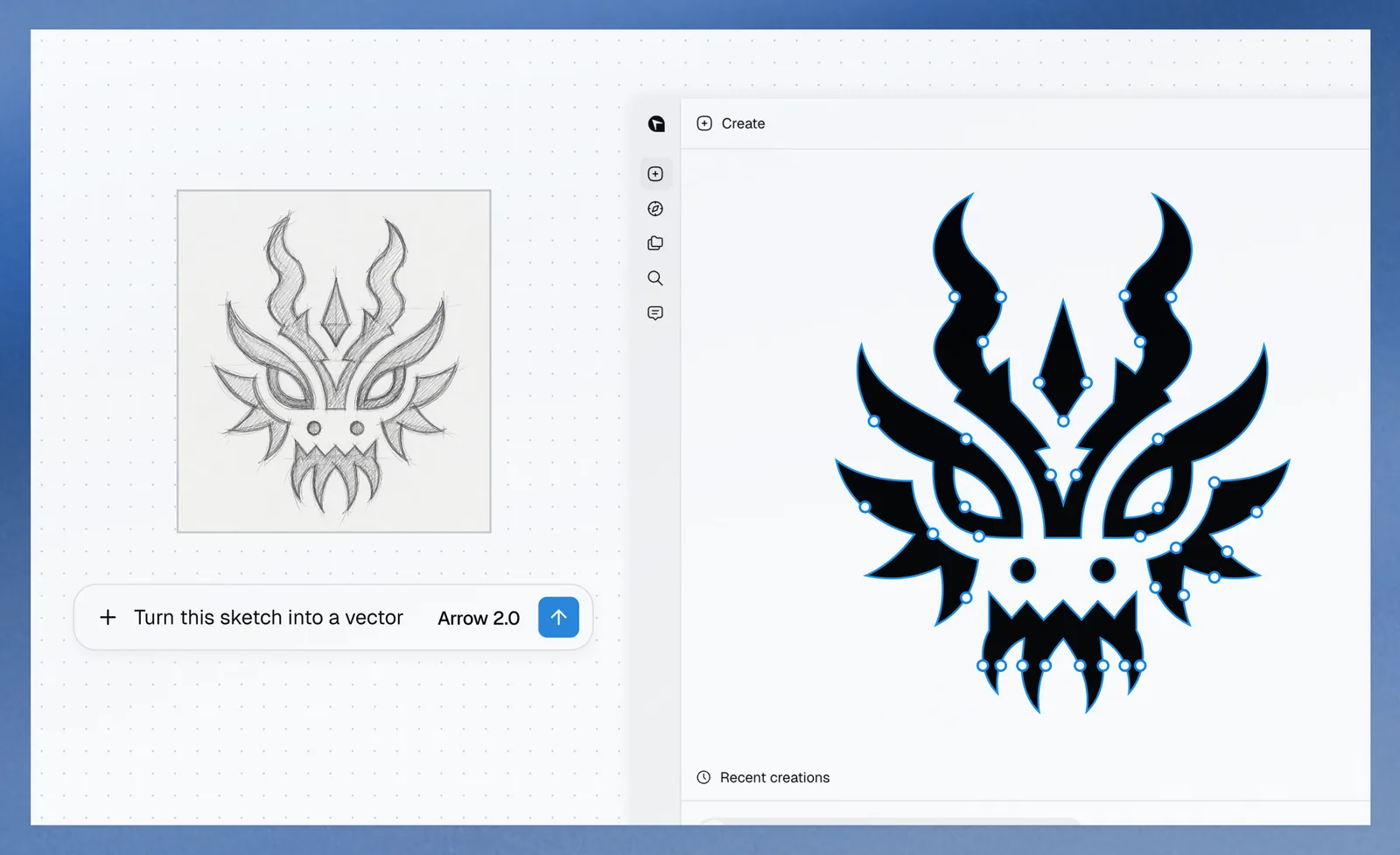
- Image or sketch to SVG: turn a reference into an editable vector interpretation.
- Reference-guided variations: create a related set while preserving a visual language.
- SVG animation: add small motions for logos, interfaces, loaders, and web illustrations.
You can see the verified specifications and provider links on Cody's Arrow 2 model page, or browse it beside other tools in the AI image model library.
Why editable SVG output matters
SVG is an image format, but it behaves more like a small document than a photograph. A circle can remain a circle, a line can remain a path, and a color can remain a named fill. Those elements can be selected, edited, styled with CSS, animated, or manipulated by code.
That creates several practical advantages:
- Clean scaling: the same asset can work on a tiny interface button or a large display without pixelation.
- Smaller, reusable assets: simple icons and diagrams can be lighter than large raster files and easier to theme.
- Real post-generation editing: designers can move points, fix alignment, swap colors, and simplify shapes instead of masking pixels.
- Web-native behavior: developers can place SVG inline, target parts of it, and build interaction or animation around the structure.
- Design-system potential: a team can generate families of icons or illustrations, then normalize them into a consistent component library.
The catch is that “outputs SVG” does not automatically mean “outputs a clean production asset.” A technically valid file can still contain too many nodes, overlapping shapes, awkward groups, outlined text, fragile masks, or animation that behaves differently across browsers and design tools. Structure is the opportunity; structure also becomes part of the quality review.
What changed from Arrow 1.1?
QuiverAI describes Arrow 2 as faster and visually stronger than the Arrow 1 generation, with particular attention to geometry and composition. These are provider claims, not results from an independent public benchmark, but they reveal what the company is trying to improve.
Cleaner paths and fewer unnecessary control points
The company says Arrow 2 produces more precise geometry with less overlap. For a vector model, that can matter more than a glossy preview. Cleaner paths are easier to edit, often render more reliably, and can reduce file size and downstream cleanup.
Better spacing and composition
Arrow 2 is also supposed to improve padding, alignment, and the relationship between objects. That is useful for icon sets, infographics, interface art, and diagrams where small layout errors are more obvious than they might be in a painterly image.
One workflow from generation through animation
Earlier Arrow releases established editable vector generation. Arrow 2 is presented as a more unified model for generating, editing, vectorizing, and animating assets. QuiverAI's September changelog also introduces a chat-to-creation app, canvas editing, undo, element selection and duplication, and animation controls around the model.
Arrow 2 vs Arrow 2 Telos
QuiverAI launched two closely related options. Arrow 2 is the practical default for speed and cost. Arrow 2 Telos is the higher-capability model for difficult briefs, larger SVGs, and work that benefits from more refinement.
| Question | Arrow 2 | Arrow 2 Telos |
|---|---|---|
| Positioning | Flagship balance of quality, speed, and cost | Most capable Arrow 2 option |
| Input price | $4 per 1M tokens | $6 per 1M tokens |
| Cached input | $0.40 per 1M tokens | $0.60 per 1M tokens |
| Cache write | $5 per 1M tokens | $7.50 per 1M tokens |
| Output price | $20 per 1M tokens | $30 per 1M tokens |
| Reference images | Up to 14 | Up to 14 |
| Best first test | Icons, iterations, routine vectorization, and production volume | Long briefs, complex compositions, and assets that need more model refinement |
The pricing is exactly 50 percent higher for Telos at each published token rate. That does not mean every Telos asset costs exactly 50 percent more: the model may produce a different amount of SVG output or need fewer retries. The useful metric is cost per accepted asset, including failed attempts and cleanup time.
Start with Arrow 2 on a representative test set. Move a brief to Telos only when the standard model repeatedly misses a requirement that matters. QuiverAI has not published a universal quality score or latency gap that makes Telos the automatic choice.
How much does Arrow 2 cost?
Arrow 2 is billed like a token-generating model rather than at one fixed price per image. According to the official model page, the rates are:
- $4 per million input tokens
- $0.40 per million cached input tokens
- $5 per million cache-write tokens
- $20 per million output tokens
This makes a simple “price per image” comparison difficult. A small icon and a detailed technical illustration can produce very different amounts of SVG. References, prompt length, retries, and animation can also change usage. QuiverAI does not publish a guaranteed average cost for one icon, diagram, or animated asset.
For procurement, log the input tokens, output tokens, generations, accepted assets, and manual cleanup time across a fixed set of briefs. That will tell you far more than comparing the $20 output rate with a raster model's per-image price.
Arrow 2 examples: vectorization and technical drawings
QuiverAI's launch material emphasizes two workflows that are especially well suited to structured vector output.
Turning rough references into editable graphics
A sketch-to-vector model can shorten the gap between an idea and a clean first draft. The useful question is not whether the preview resembles the sketch; it is whether the resulting paths are organized well enough for a designer to refine.
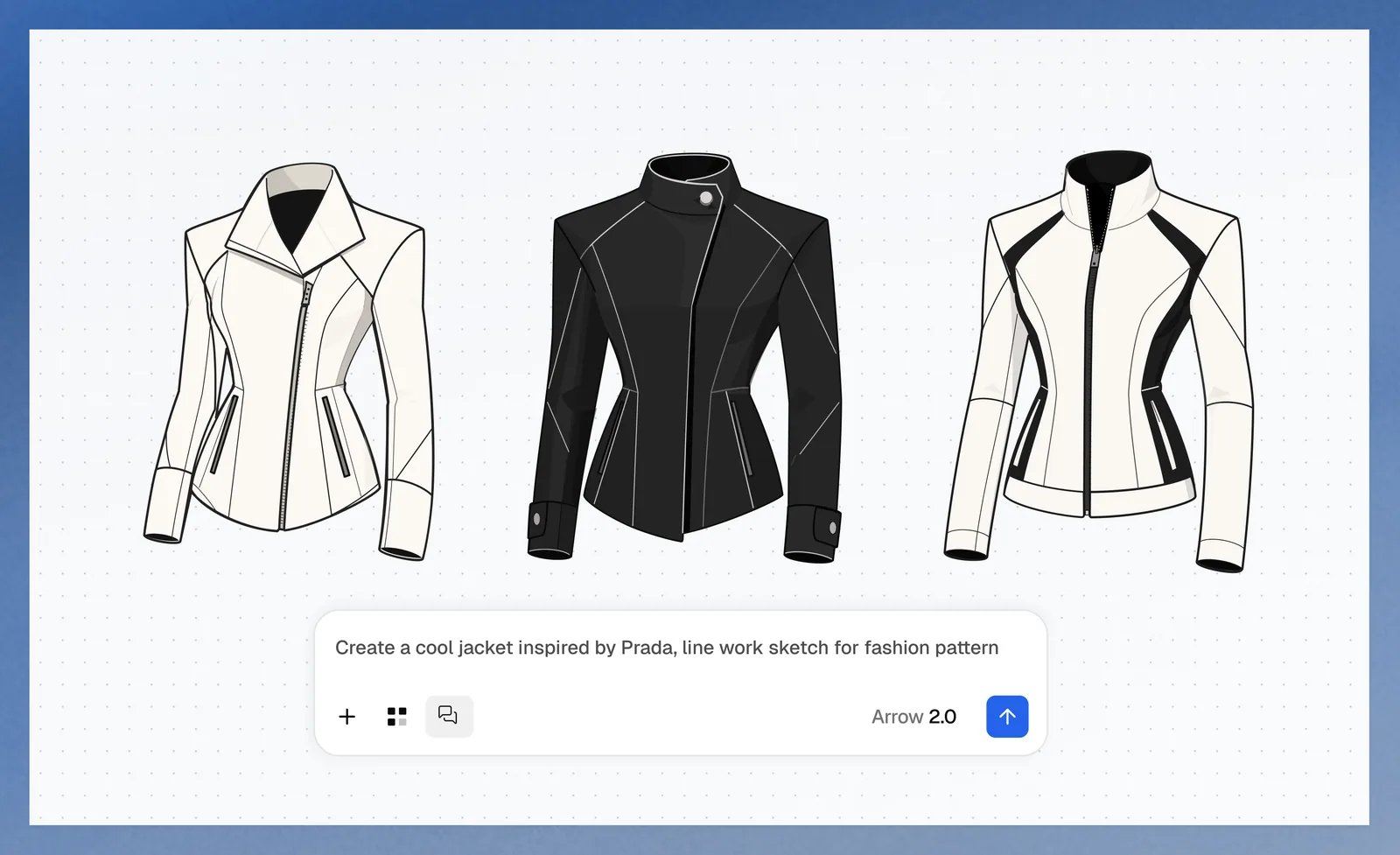
Diagrams and technical line work
Technical illustrations reward consistent strokes, spacing, symmetry, labeling, and visual hierarchy. Arrow 2's official examples suggest that QuiverAI is aiming beyond decorative icons, though factual diagrams still require subject-matter review. A convincing drawing can be structurally tidy and still be technically wrong.
Can Arrow 2 animate SVG?
Yes. QuiverAI treats micro-animation as a core Arrow 2 capability rather than a separate export trick. The company shows applications such as logo reveals, loading states, motion graphics, product illustrations, and animated icons.
Watch QuiverAI's official Arrow 2 animation example. It is a useful demonstration of the intended output, not a portability test across every browser and editor.
For production, test the export where it will actually run. Check whether the animation uses CSS, SMIL, JavaScript, or baked path changes; whether a design tool preserves it; whether reduced-motion preferences can be respected; and whether the file size is acceptable. “Animated SVG” describes a family of techniques, not one portability guarantee.
Arrow 2 vs Recraft V4, Adobe Illustrator, and raster models
Arrow 2 does not enter an empty market. The closest alternative depends on whether you want an API, a broader creative platform, or a professional editor.
| Option | What it returns | Where it stands out | What to verify |
|---|---|---|---|
| QuiverAI Arrow 2 | Editable SVG from prompts, images, or SVG | API-first structured vectors, editing, vectorization, and micro-animation in one model | Path cleanliness, font handling, retry cost, animation portability, and data settings |
| Recraft V4 / V4.1 | Raster images and real SVG vector output, depending on workflow | Broader design-generation platform with style and image workflows around vector output | Which model and output mode are used, layer structure, API pricing, and workflow fit |
| Adobe Illustrator Text to Vector Graphic | Editable vector scenes, subjects, and icons inside Illustrator | Generation inside a mature editor with direct manual refinement and Adobe workflows | Plan access, Firefly terms, automation needs, and whether in-editor generation fits the team |
| GPT Image, Nano Banana, Midjourney, and similar raster models | Pixel images | Photography, painterly scenes, rich textures, and broad image editing | Whether vectorization afterward preserves clean shapes and editable structure |
Recraft V4 is the most direct model-platform comparison because Recraft also advertises actual SVG output with structured layers. Adobe Illustrator's Text to Vector Graphic is a workflow comparison: the model is embedded in the editing environment where a designer will finish the asset.
Raster models remain the better comparison for some briefs, but not a substitute. If the goal is a photographic campaign visual, editable Bézier paths may not help. If the goal is a themed icon set, a crisp diagram, or an interface animation, generating pixels and tracing them later can throw away the structure you wanted in the first place. For the pixel-first side, see our GPT Image 2.5 guide or compare GPT Image 2.5 Flare with Arrow 2.
Where Arrow 2 could be genuinely useful
Icons and design-system families
A prompt plus a set of references can help generate related icons, badges, empty states, or spot illustrations. The model's 14-reference limit gives teams room to show an existing visual language, though a human should normalize stroke widths, view boxes, naming, and accessibility.
Sketch-to-vector production
Illustrators and product teams can use a rough drawing as direction, then continue from editable paths. This is more practical than treating the AI output as the final work: the model accelerates the first structured draft, while the designer controls the last mile.
Technical diagrams and educational graphics
Line art and modular geometry are natural SVG tasks. Arrow 2 may help create assembly illustrations, simplified anatomy, architecture concepts, process diagrams, or explanatory graphics. Accuracy review remains non-negotiable.
Lightweight web animation
Animated SVG can work well for interface feedback, logo motion, onboarding, and small storytelling moments. It can be lighter and more controllable than a video when the artwork is naturally vector-based.
Agent and application workflows
QuiverAI's API supports an Open Responses-style POST /v1/responses contract and custom tools, according to its changelog. That can make Arrow 2 easier to place inside an automated creative workflow. The endpoint is stateless, so applications need to manage conversation or asset history themselves.
What Arrow 2 does not prove yet
QuiverAI's examples are attractive, but a launch gallery is not a benchmark. The company has not published an independent evaluation that defines the prompts, selection rules, failure rate, latency distribution, or amount of manual cleanup behind its quality and speed claims.
Several questions remain open for serious adoption:
- How often does the first result produce clean, editable paths?
- Does text remain editable text, use outlined paths, or depend on fonts that may not travel with the file?
- How large do complex SVGs become, and how quickly do they render?
- How reliably does the model preserve a brand system across a batch?
- Do edits change only the requested element or quietly rearrange the rest?
- Which animation techniques are used, and where do they break?
- How much does an accepted asset cost after retries and human cleanup?
Those are not reasons to dismiss Arrow 2. They are the evaluation criteria that matter precisely because editable vector generation is promising.
Privacy and enterprise considerations
QuiverAI's security page deserves attention before a team uploads logos, unreleased products, client drawings, or brand systems. New organizations default to Allow storage and training. Administrators can choose stricter settings, including storage for benchmarks without training or no storage, and the strictest organization or project setting takes precedence.
QuiverAI also says uploaded references are retained while they are still referenced and removed after the last reference is deleted. At publication time, the security page says SOC 2, ISO 27001, SSO/SAML, and SCIM are not available. That does not prevent experimentation, but it can matter in an enterprise review.
Before using confidential material, verify the effective setting in the console, confirm who can change it, and obtain contractual answers for retention, incident response, processing location, and deletion. Do not assume the default matches a private production environment.
How to evaluate Arrow 2 in one afternoon
- Choose ten real briefs. Include a simple icon, an icon family, a sketch, a raster logo, a technical diagram, a text-bearing graphic, a complex illustration, an edit, a reference-guided variation, and an animation.
- Run the same briefs through Arrow 2 and Telos. Keep prompts and references stable. Record tokens, time, retries, and which result was accepted.
- Open every SVG in two tools. Test a design editor and a browser or code workflow. Inspect node count, groups, masks, view box, text, styles, and naming.
- Make a real edit. Recolor a component, move a point, replace text, and resize the asset. A pretty preview that is painful to edit misses the point.
- Measure the production outcome. Compare cost per accepted asset and cleanup minutes, not only raw API price or the best-looking cherry-picked output.
If Arrow 2 consistently saves cleanup time, its structured output is providing real value. If a team exports everything as a PNG and never edits the paths, a strong raster model may be simpler. You can compare additional choices in Cody's AI model library, including a direct Nano Banana 2 vs Arrow 2 page.
Frequently asked questions
What is QuiverAI Arrow 2?
Arrow 2 is QuiverAI's generally available model for generating, editing, vectorizing, and animating SVG graphics from text, images, and existing SVGs.
Does Arrow 2 create real SVG files?
Yes. QuiverAI says Arrow models write editable SVG rather than returning only a flattened pixel image. The output can contain paths, fills, groups, and animation that downstream tools can inspect and edit.
What is the difference between Arrow 2 and Arrow 2 Telos?
Arrow 2 is the faster and lower-cost default. Arrow 2 Telos is the more capable option for difficult briefs and larger SVG work, with input and output token rates that are 50 percent higher.
How much does Arrow 2 cost?
QuiverAI lists Arrow 2 at $4 per million input tokens, $0.40 per million cached input tokens, $5 per million cache-write tokens, and $20 per million output tokens. It does not publish one fixed price per SVG.
Can Arrow 2 convert an image or sketch to SVG?
Yes. Raster-to-vector conversion and sketch-to-vector work are central launch use cases, and the model accepts up to 14 reference images. Production teams should still inspect path structure and editability.
Can Arrow 2 animate SVG?
Yes. QuiverAI presents micro-animation as a core Arrow 2 workflow, including logo reveals, loading states, product illustrations, and animated icons. Browser and design-tool portability should be tested.
How does Arrow 2 compare with Recraft V4 and Adobe Illustrator?
Arrow 2 is centered on a model and API that write structured SVG. Recraft V4 combines vector output with a broader image-design platform, while Illustrator's Text to Vector Graphic works inside a full professional vector editor. The best choice depends on whether automation, a design suite, or in-editor control matters most.
Does QuiverAI train on customer data?
New organizations default to allowing storage and training. Administrators can choose stricter organization or project controls, including no training or no storage, and QuiverAI says the strictest applicable setting wins.
Sources and methodology
This article was checked against QuiverAI's Arrow 2 announcement, Arrow 2 model page, Telos model page, product changelog, developer documentation, and security disclosures, all reviewed September 19, 2026. Broader comparisons use official Recraft and Adobe Illustrator documentation. Provider claims are labeled as such; curated examples are not treated as independent benchmarks.
The bottom line
Arrow 2 is worth watching because it changes the unit of output. Instead of asking only whether an AI can make a nice image, it asks whether the result can remain a useful, editable piece of a design or software system.
The standard model is the sensible starting point. Telos may justify its higher rates on genuinely difficult assets, but the winner should be decided by accepted-output rate and cleanup time. If QuiverAI can consistently deliver clean structure—not just attractive previews—Arrow 2 could become a practical tool for icons, diagrams, brand systems, vectorization, and small web animations.