

- AI tools
- Artificial Intelligence
ChatGPT Image 2.5: What’s New, Pricing, and Official Examples
GPT Image 2.5 introduces Sunburst for demanding quality and Flare for speed. See official OpenAI examples, pricing, practical differences, and what is actually available in ChatGPT.
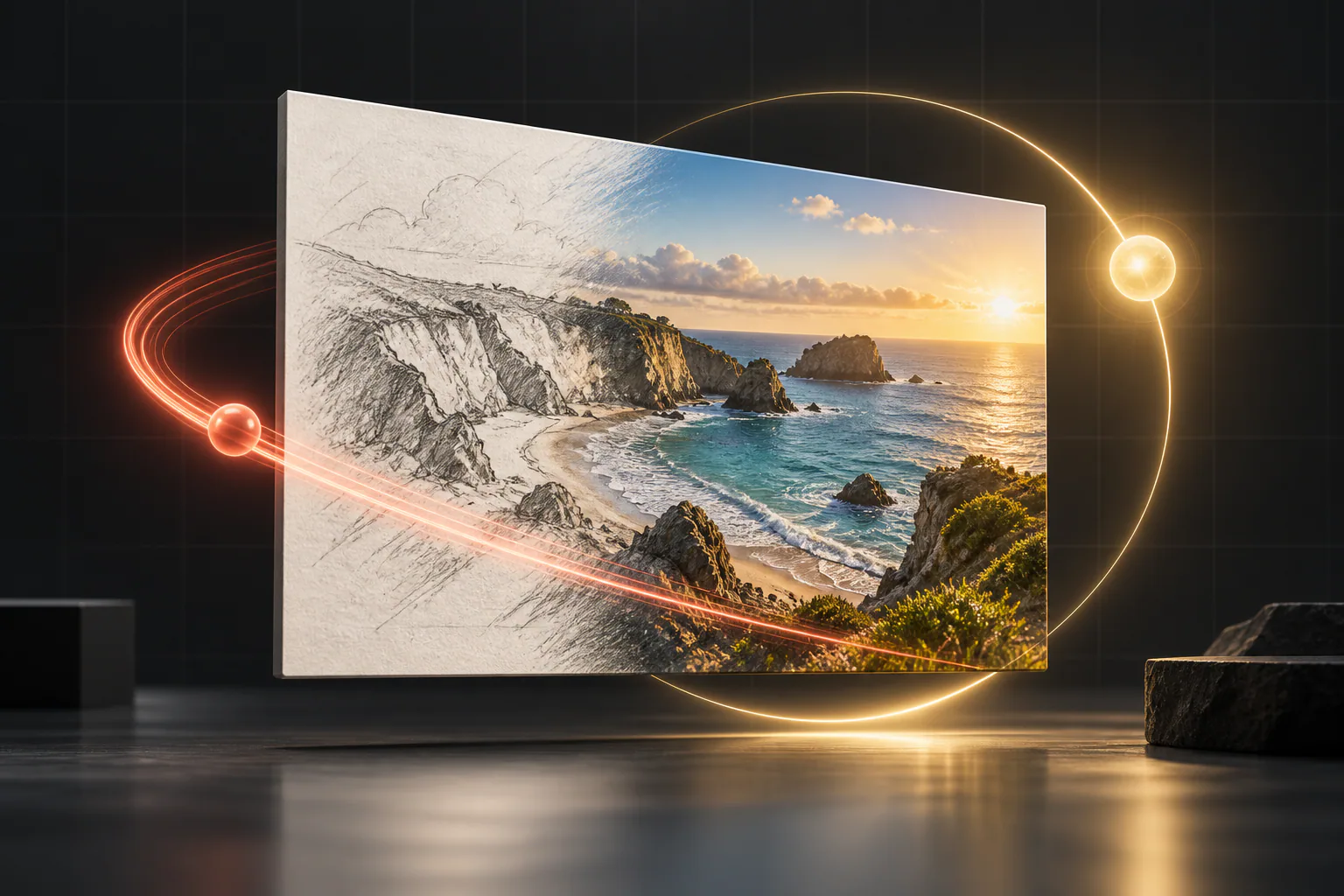
OpenAI’s new image family splits the job in two: Flare is built for speed, while Sunburst aims for the highest quality and most precise edits.
Search for “ChatGPT Image 2.5” and you will find plenty of dramatic before-and-after claims. The official release is both more interesting and a little more specific. OpenAI now lists GPT Image 2.5 as a two-model API family: GPT Image 2.5 Flare for fast everyday generation and GPT Image 2.5 Sunburst for demanding quality and editing precision.
That choice is the real story. Instead of making every request wait for the most capable renderer, developers can start with the faster model and reserve Sunburst for the images where typography, identity, product details, or a difficult edit justify the extra time.
This guide explains what is confirmed, what has improved over GPT Image 2, what the official examples actually show, how pricing works, and whether GPT Image 2.5 is already the image model inside ChatGPT.
Quick answer — updated September 9, 2026
GPT Image 2.5 is live in OpenAI’s developer catalog as Sunburst and Flare. OpenAI’s current ChatGPT image documentation still says the integrated generator uses GPT Image 2, so a ChatGPT-wide 2.5 rollout is not confirmed in the official documentation at publication time.
What is ChatGPT Image 2.5?
“ChatGPT Image 2.5” is the phrase many people will use, but OpenAI’s developer documentation calls the release GPT Image 2.5. It is a family of models that accepts a text prompt, one or more image inputs, or both, and returns an image. The models can generate a new visual or edit an existing one.
The family has two members:
- GPT Image 2.5 Flare is the smaller, speed-optimized model. OpenAI says its image quality is comparable to GPT Image 2.
- GPT Image 2.5 Sunburst is the base, quality-optimized model. OpenAI says it reaches a higher image-quality ceiling than GPT Image 2 and recommends it when edit precision matters most.
Both models support image generation, editing, transparent backgrounds, custom output sizes, and the same set of quality controls. You can explore their exact API facts in Cody’s model library: GPT Image 2.5 Flare and GPT Image 2.5 Sunburst.
GPT Image 2.5 Sunburst vs. Flare
The names are colorful, but the decision is practical: begin with the fastest model that can reliably pass your quality bar.
| Question | GPT Image 2.5 Flare | GPT Image 2.5 Sunburst |
|---|---|---|
| Main priority | Speed and everyday generation | Quality and editing precision |
| OpenAI’s positioning | Fastest high-quality image model | Most capable image model |
| Compared with GPT Image 2 | Comparable image quality, with speed as the reason to test it | Higher image quality for harder requirements |
| Generation and editing | Yes | Yes |
| Quality settings | Low, medium, high, xhigh, max, auto | Low, medium, high, xhigh, max, auto |
| Published token rates | Same as Sunburst | Same as Flare |
| Best starting point | High-volume drafts, iterations, and existing GPT Image 2 workflows that already look good | Exacting brand work, difficult edits, subject preservation, and quality-first final assets |
OpenAI does not publish one universal “Flare is X seconds faster” number. Latency changes with the prompt, reference images, dimensions, quality setting, and service load. The useful comparison is therefore your own repeated test, not a single demo run.
What changed from GPT Image 2?
GPT Image 2 was already capable of detailed generation, text-heavy layouts, custom resolutions, and high-fidelity image inputs. GPT Image 2.5 does not throw that workflow away. It turns it into a more deliberate quality-versus-speed choice.
A quality model and a speed model
The biggest product change is the split. Flare gives teams a faster default to test for everyday work. Sunburst gives them a higher ceiling when the faster model cannot meet the brief. This is more useful in production than a single model that tries to be the default for every request.
More emphasis on precise editing
OpenAI specifically highlights improvements in precise editing and subject preservation across both 2.5 models. That matters for product photography, apparel changes, interior mockups, localization, and any workflow where “change only this” is more important than inventing a completely new scene.
Two new quality levels at the top
GPT Image 2 supports low, medium, high, and auto. GPT Image 2.5 adds xhigh and max. Those settings provide more room to chase a difficult quality requirement, but OpenAI also cautions that a higher setting does not guarantee a better result for every prompt. Increase quality only when it fixes a visible failure.
The same flexible canvas, including 4K-shaped output
The 2.5 family accepts custom resolutions up to 3,840 pixels on either edge and up to 8,294,400 pixels in total, provided both dimensions are multiples of 16 and the long edge is no more than three times the short edge. OpenAI lists common formats from 1024×1024 through 3840×2160 and 2160×3840. Outputs above 2560×1440 are marked experimental.
Official GPT Image 2.5 examples
The following images come directly from OpenAI’s GPT Image 2.5 prompting guide. OpenAI used matching prompts and settings to show the two models side by side. These are useful illustrations of intended behavior, but they are curated provider examples—not an independent benchmark or a guarantee that every run will look this good.
Photorealism and natural detail
OpenAI asked for a candid 35mm-style photograph of an elderly sailor repairing a net beside his dog, with weathered skin, worn materials, soft coastal light, and no heavy retouching. Both examples below used a 1024×1536 canvas at medium quality.
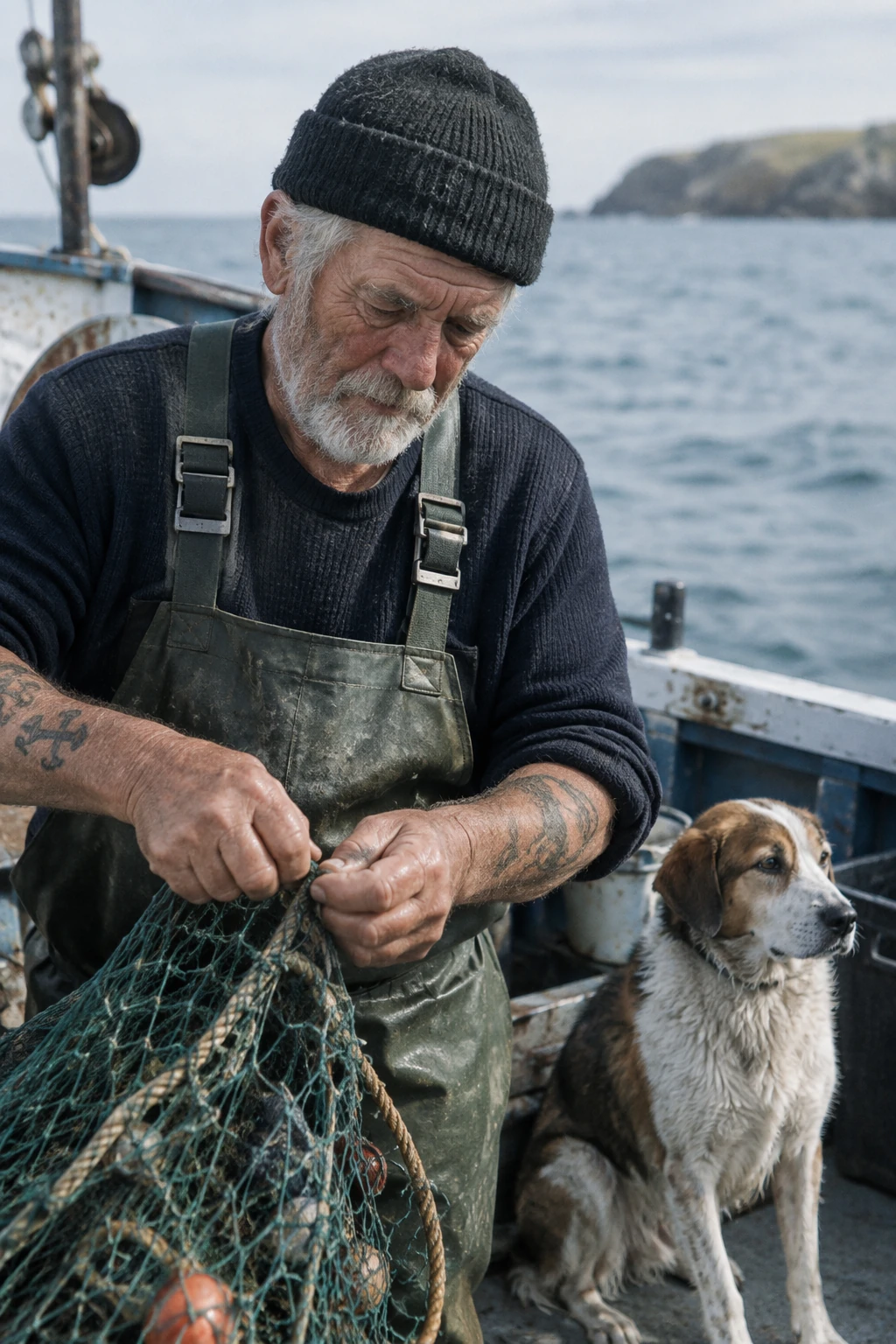
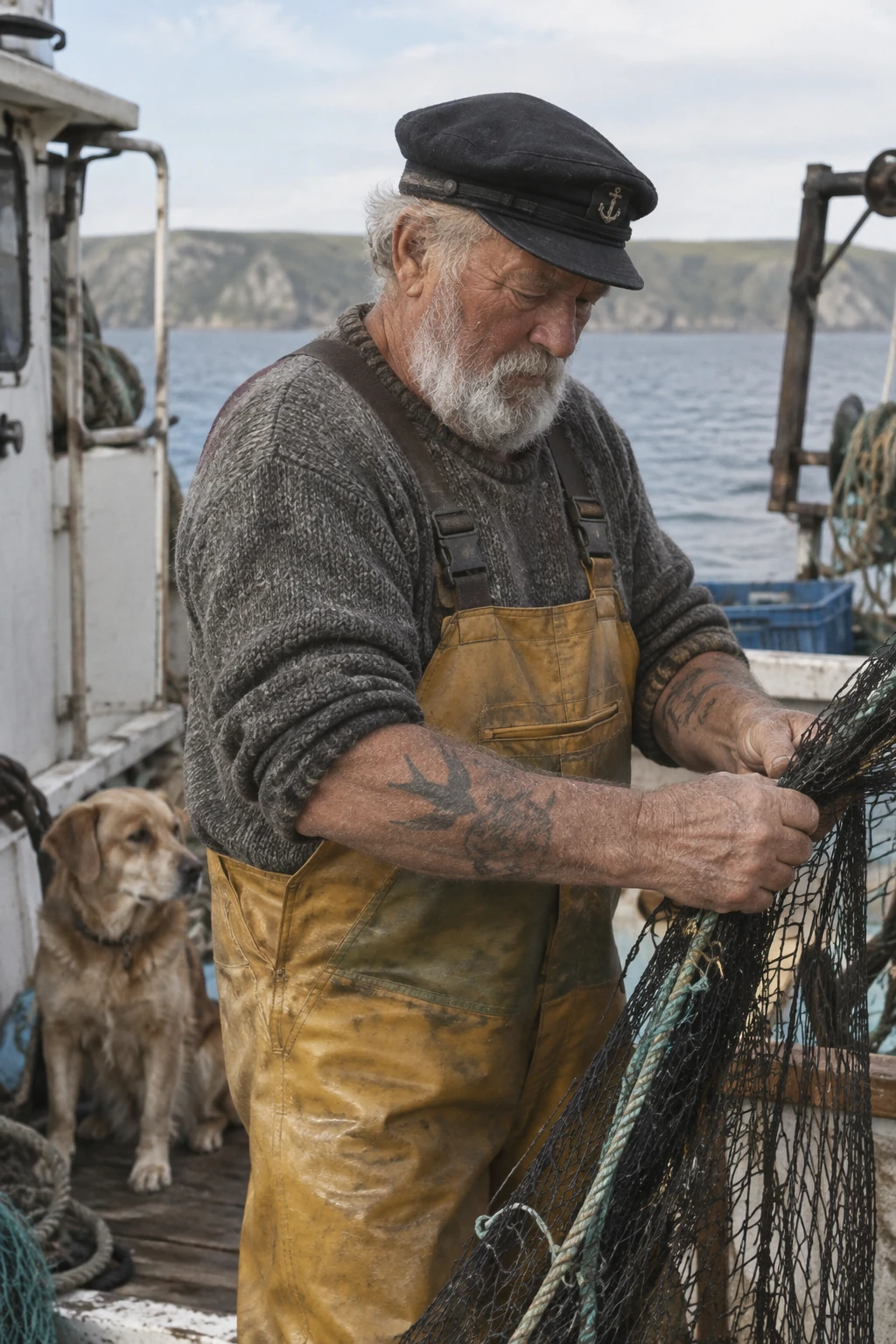
The pair is a good reminder that “quality” is not a single slider. Composition, texture, hands, clothing, the dog, and the fishing net all need inspection. Which version is preferable can depend on the brand brief rather than a universal winner.
Readable text inside a campaign image
For the next example, OpenAI requested a polished streetwear campaign for a fictional brand called Thread and required the tagline “Yours to Create.” exactly once. Both outputs render the requested tagline clearly while integrating it into a photographic composition.

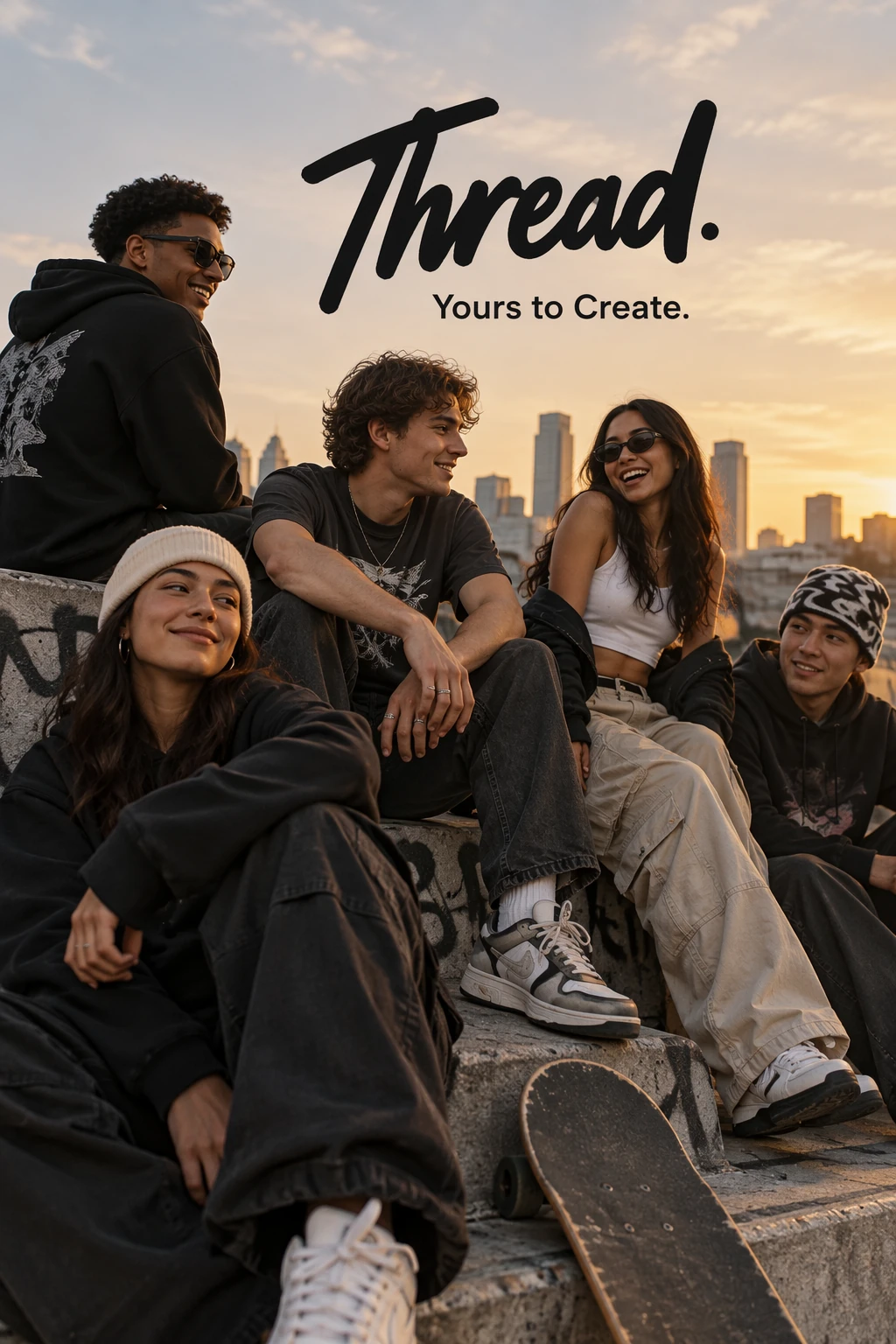
This is promising for ads, posters, social graphics, and early layout concepts. It does not remove the need for proofreading. Small copy, legal lines, prices, dates, and factual labels should still be checked word by word and often finished in a design tool.
A targeted furniture edit
OpenAI’s edit prompt was deliberately narrow: replace only the white chairs with wooden chairs while preserving the room, camera angle, lighting, shadows, and surrounding objects. The Sunburst result keeps the overall kitchen recognizable while changing the requested furniture.
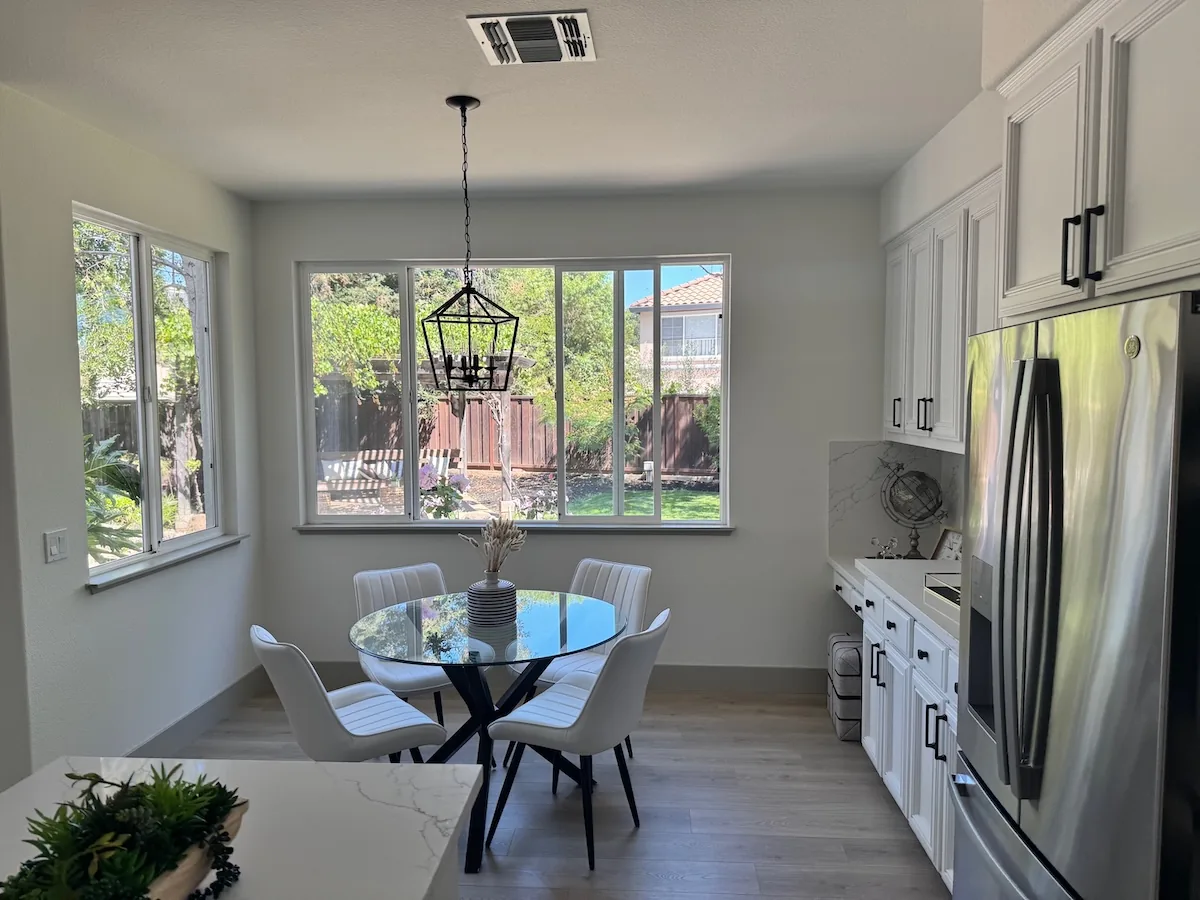
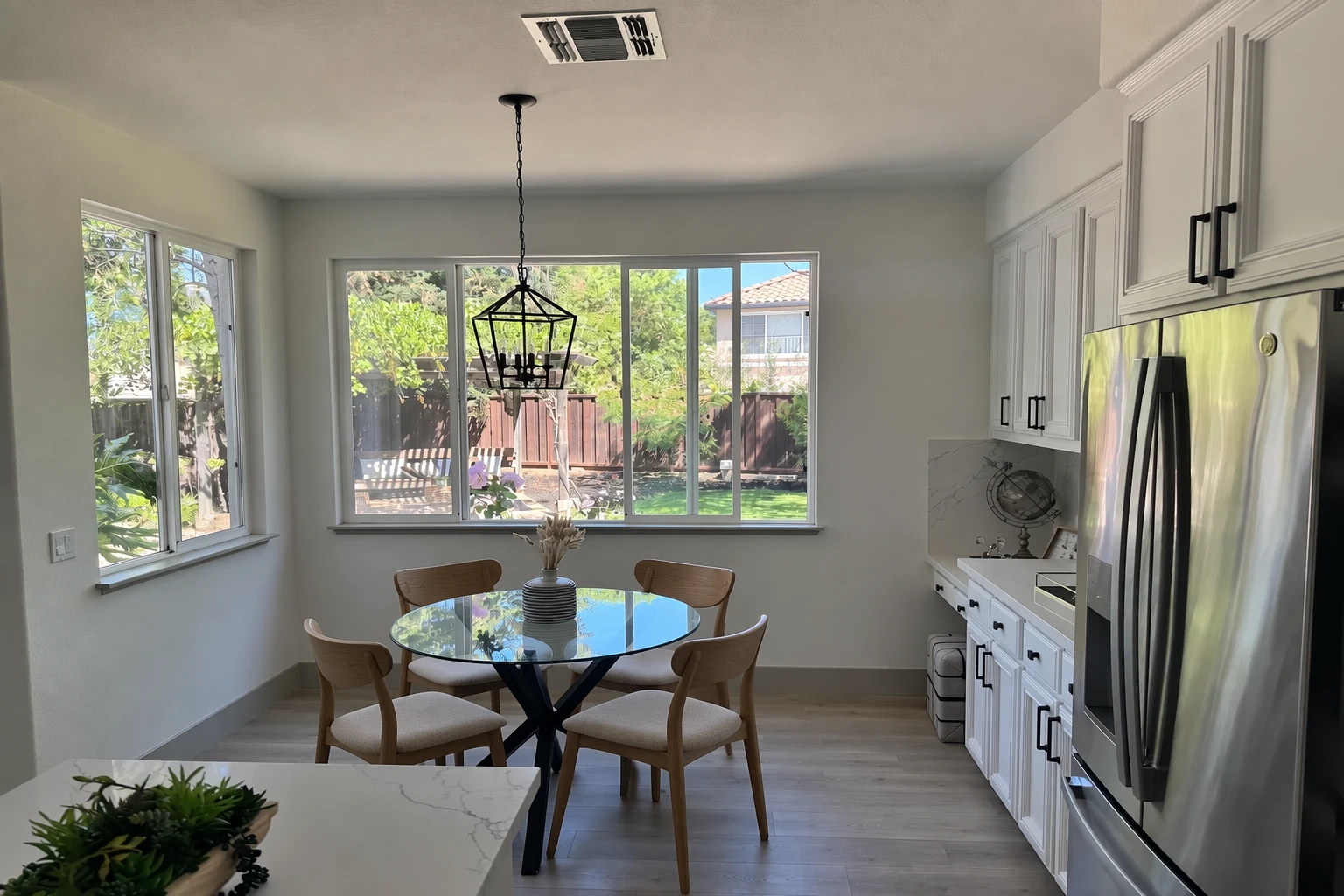
The result is useful, but it also shows why production review matters. Even a “change only one thing” request should be checked for small shifts in geometry, crop, reflections, edges, and background details.
Watch a hands-on GPT Image 2 vs. 2.5 test
For a creator’s walkthrough beyond OpenAI’s curated samples, Brendan Jowett compares GPT Image 2 with the new 2.5 family in the video below. Treat any single creator test as a demonstration rather than a universal benchmark, but it is useful for seeing how real prompts behave across several tasks.
Independent video by Brendan Jowett. Embedded at the reader’s request; it is not an OpenAI benchmark.
GPT Image 2.5 pricing
Sunburst and Flare have the same published token rates. The final price of an image depends on how many text, input-image, and output-image tokens the request uses. Larger canvases, higher quality, references, edits, retries, and streamed partial images can all change the bill.
| Token type | GPT Image 2.5 Sunburst | GPT Image 2.5 Flare | GPT Image 2 |
|---|---|---|---|
| Text input | $5 / 1M | $5 / 1M | $2.50 / 1M |
| Cached text input | $1.25 / 1M | $1.25 / 1M | $0.625 / 1M |
| Image input | $8 / 1M | $8 / 1M | $4 / 1M |
| Cached image input | $2 / 1M | $2 / 1M | $1 / 1M |
| Image output | $30 / 1M | $30 / 1M | $15 / 1M |
The 2.5 token rates are twice GPT Image 2’s current standard rates. That still does not mean every 2.5 image will cost exactly twice as much, because the models can consume different token counts for the same nominal size and quality. OpenAI recommends checking the response’s usage data and calculating cost per accepted image, including retries—not just cost per API call.
The official calculator currently shows a low-quality example costing about $0.00588 in image-output tokens, before text input, image input, or partial-image charges. Treat that as an example configuration, not a universal starting price.
Image sizes, quality settings, and transparency
Both 2.5 models support:
- Quality: auto, low, medium, high, xhigh, and max.
- Common sizes: 1024×1024, 1536×1024, 1024×1536, 2048×2048, 2048×1152, 3840×2160, and 2160×3840.
- Backgrounds: auto, opaque, or transparent.
- Transparent output: PNG or WebP, with the alpha channel preserved.
The practical rule is simple: choose the model first, hold the prompt and dimensions steady, then raise or lower quality one step at a time. Jumping straight to max makes it harder to learn whether the improvement came from the model, the quality setting, or a rewritten prompt.
Which GPT Image 2.5 model should you choose?
Start with Flare when you are making drafts, generating many variations, or moving an existing GPT Image 2 workflow that already passes review. If it meets the brief, its speed is the reason to keep it.
Start with Sunburst when the current model misses a difficult requirement: a recognizable product, stable subject, precise local edit, dense diagram, or polished final visual. Once Sunburst passes, run the same test on Flare. If Flare also passes and is faster, use it; otherwise keep Sunburst for that workflow.
This suggests a useful routing pattern rather than one global default:
- Flare for exploration and high-volume variations.
- Sunburst for selected finals and difficult edits.
- GPT Image 2 for validated workflows where migration cost or the lower token rate matters more than the new capabilities.
Where GPT Image 2.5 may be most useful
Marketing and brand production
Campaign concepts, social creative, product mockups, and typography-led layouts benefit from the choice between fast iteration and a higher-quality final pass. Keep logos and legal copy in editable layers whenever accuracy is non-negotiable.
E-commerce and product editing
Subject preservation and narrow edits can help with background cleanup, furniture or apparel swaps, product cutouts, and visual merchandising. The original product geometry, label, color, and scale should be part of the acceptance checklist.
Education and business communication
OpenAI’s guide includes diagrams, infographics, interface previews, scientific visuals, and presentation slides. These are strong concepting uses, but every fact, label, number, and citation still needs human verification.
Creative tools and automated workflows
The separate image endpoint works well for direct generation or editing. The Responses API image tool is useful when a language model needs to reason about a request and call image generation inside a broader workflow. Remember that the main model’s usage is billed in addition to the image-generation call.
How to prompt GPT Image 2.5
OpenAI’s advice is refreshingly straightforward: define the result, describe what should be visible, state the composition and constraints, then refine one thing at a time.
- Name the deliverable. Say whether you need a product photograph, poster, diagram, mobile interface, or edit.
- Describe the subject and action. Concrete visual details beat broad words such as “beautiful” or “professional.”
- Set composition and lighting. Mention framing, viewpoint, placement, materials, and where the light comes from when they matter.
- Quote exact text. Put required copy in quotation marks, say where it should appear, and ask for no extra text.
- Separate edits from invariants. Write “change only X” and list the identity, product, layout, lighting, or background details that must remain unchanged.
- Assign roles to references. Explain which input provides the subject, style, clothing, or background.
For a fair Sunburst-versus-Flare test, use the same prompt, references, size, format, and explicit quality setting. Run several generations. Compare instruction following, text accuracy, preserved details, unwanted changes, latency, failures, and total cost per approved output.
How to access GPT Image 2.5
Developers can select either model directly in OpenAI’s Images API or choose it as the image-generation tool inside the Responses API. OpenAI provides undated aliases and dated snapshots for teams that want a fixed version.
const result = await openai.images.generate({
  model: "gpt-image-2.5-flare",
  prompt: "A clean editorial product photograph...",
  size: "1536x1024",
  quality: "medium"
});
The example is intentionally short. In production, add error handling, moderation handling, usage logging, file storage, and a review step before publishing generated media.
Is GPT Image 2.5 available in ChatGPT?
Not as a confirmed ChatGPT model rollout in the official documentation we reviewed. OpenAI’s developer site lists Sunburst and Flare as API models. Meanwhile, the current ChatGPT image-generation guide still says integrated image generation uses GPT Image 2.
That can change quickly, and ChatGPT may route image requests without exposing the exact underlying model name to every user. For now, the accurate wording is: GPT Image 2.5 is officially available to developers through the API; a broad ChatGPT 2.5 rollout has not been documented on OpenAI’s ChatGPT guide as of September 9, 2026.
What to test before using it in production
- Repeatability: generate each representative prompt several times, not once.
- Text accuracy: inspect every word, number, and punctuation mark.
- Edit drift: compare protected details before and after every edit in a sequence.
- Transparency: inspect hair, glass, shadows, soft edges, and actual alpha—not a drawn checkerboard.
- Cost: include rejected outputs, retries, reference-image tokens, and main-model tokens when using Responses.
- Latency: record typical and slow requests for your real sizes and quality settings.
- Rights and privacy: use authorized source images and verify current API data controls before uploading confidential assets or real people.
Frequently asked questions
What is ChatGPT Image 2.5?
It is the common search name for OpenAI’s GPT Image 2.5 API family. The family includes the speed-first Flare model and the quality-first Sunburst model.
What is the difference between GPT Image 2.5 Sunburst and Flare?
Flare is optimized for fast, high-quality everyday generation. Sunburst is optimized for the highest available quality and precise editing. They support the same broad settings and share the same published token rates.
Is GPT Image 2.5 better than GPT Image 2?
OpenAI says Sunburst has higher image quality than GPT Image 2, while Flare offers comparable image quality with speed as its priority. Both 2.5 models improve precise editing and subject preservation. Your own prompts may produce different tradeoffs.
How much does GPT Image 2.5 cost?
Both models cost $5 per million text input tokens, $8 per million image input tokens, and $30 per million image output tokens, with lower cached-input rates. Per-image cost depends on token use, dimensions, quality, references, and retries.
Can GPT Image 2.5 edit existing images?
Yes. Both Sunburst and Flare accept image inputs and support editing. OpenAI specifically highlights better precision and subject preservation, although repeated edits can still change details you intended to keep.
Does GPT Image 2.5 support transparent backgrounds?
Yes. Set the background to transparent and use PNG or WebP. Inspect the resulting alpha channel carefully, especially around fine or translucent edges.
What is the maximum GPT Image 2.5 resolution?
Each edge can be up to 3,840 pixels, with a maximum total area of 8,294,400 pixels and a maximum 3:1 aspect ratio. OpenAI marks outputs above 2560×1440 as experimental.
Is GPT Image 2.5 already in ChatGPT?
OpenAI’s current developer catalog confirms the 2.5 API models, but its ChatGPT image guide still identifies GPT Image 2 as the integrated generator. A broad ChatGPT rollout is therefore not confirmed in the reviewed official documentation.
Sources and methodology
This article was checked against first-party OpenAI material on September 9, 2026. The embedded video is an independent demonstration, not a source for the confirmed product facts.
- OpenAI: GPT-Image-2.5 Sunburst model page
- OpenAI: GPT-Image-2.5 Flare model page
- OpenAI: GPT Image 2.5 prompting guide and official examples
- OpenAI: image generation API guide and cost calculator
- OpenAI: API pricing
- OpenAI: image generation in ChatGPT
The bottom line
GPT Image 2.5 is not simply “GPT Image 2, but better.” It is a more useful production choice: Flare when speed is the goal, Sunburst when quality and edit precision justify it. The official examples show capable photography, readable campaign text, and targeted editing, but the best evidence will come from repeated runs on your own products, people, layouts, and approval standards.
If you are choosing an image model for a real workflow, compare Sunburst, Flare, GPT Image 2, and other leading systems in the Cody image model library.