

- Real-Time AI
- Artificial Intelligence
How Live AI Agent Experiences Actually Work: A Field Guide
A vendor-neutral guide to real-time conversational agents at events, in training rooms, and in public spaces There is a category of AI product that behaves nothing like the one most teams have built. It has no chat window, no send button, and no… Read more »
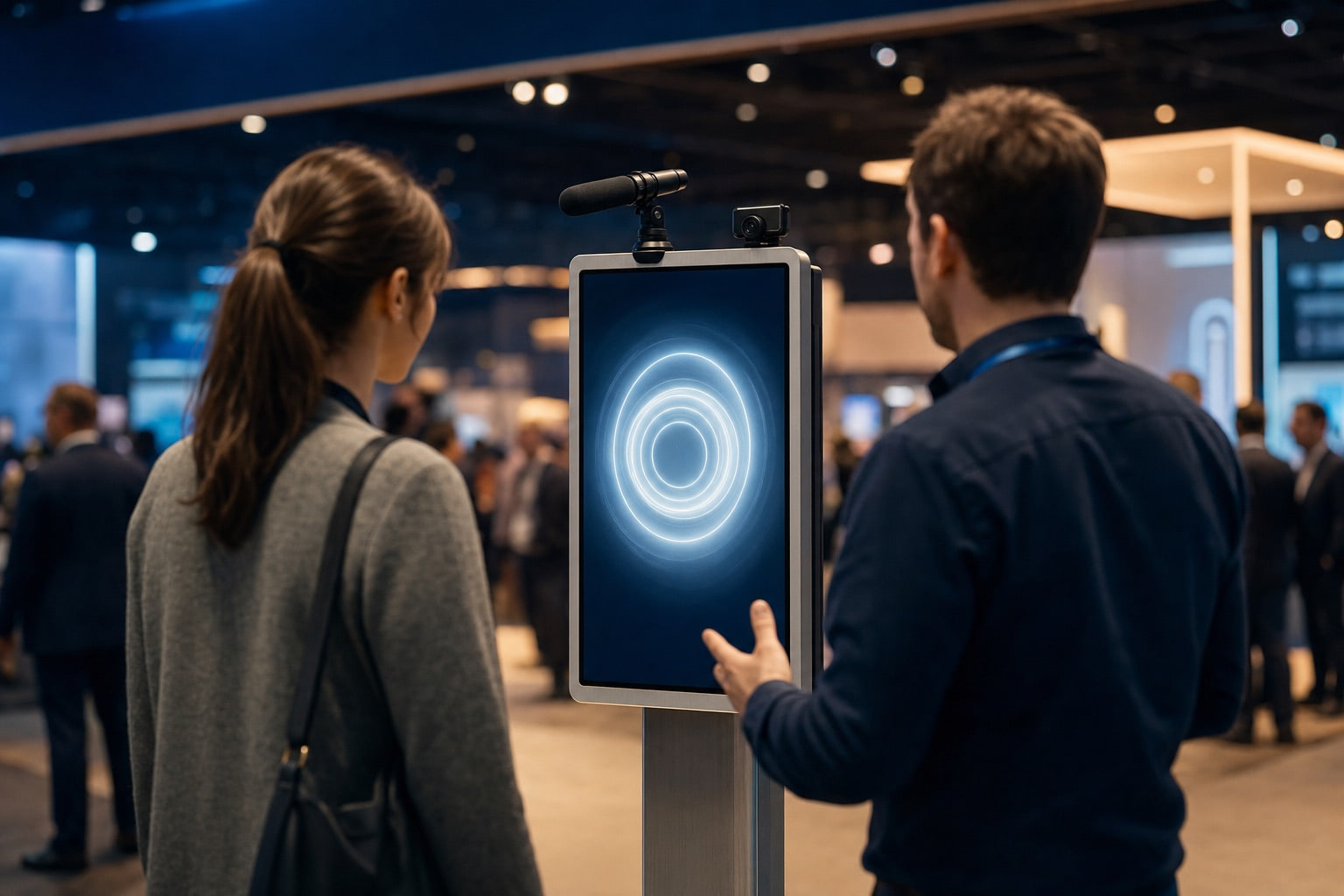
A vendor-neutral guide to real-time conversational agents at events, in training rooms, and in public spaces
There is a category of AI product that behaves nothing like the one most teams have built. It has no chat window, no send button, and no patience. Someone walks up, opens their mouth, and the clock starts. If the reply lands in half a second, it feels like a conversation. If it lands in two seconds, the person standing there assumes it is broken and walks away.
These are live agents: real-time, speech-driven systems that hold a conversation in the same room, or on the same call, as a human being. They show up at trade show booths, in training simulations, on museum kiosks, at hotel front desks, and behind phone numbers. And they fail in ways that a text chatbot never does.
This article is about how that category actually works. It is not a product pitch and it is not a list of tools. It is the engineering and design reality of building something that has to answer a stranger in under a second, in a loud room, with no second chance.
What "Live" Actually Means
The defining constraint is not intelligence. It is time.
In 2009, a team of linguists led by Tanya Stivers published a study in PNAS measuring the gap between speakers in ordinary conversation across ten languages on five continents — English, Japanese, Danish, Lao, Italian, Korean, Dutch, Tzeltal, Yélî-Dnye, and ‡Ākhoe Hai||om. The finding was remarkably uniform. Every language showed a single-peaked distribution of response offsets, with the mode falling between 0 and +200 milliseconds and a cross-linguistic median of about +100 ms.
That is the number your system is being judged against. Not by a benchmark, but by a nervous system that has been calibrated on it since infancy.
Nobody expects a machine to hit 100 ms. But the perceptual cliff is real and it is well documented in practice: around 800 ms, a response starts to read as noticeably delayed; past roughly 1,500 ms, most people conclude something has gone wrong and either repeat themselves or disengage. In a live setting with a person physically standing in front of a screen, that threshold is harsher than on the phone, because there is no ambient expectation of network delay to absorb it.
This is not a subjective preference. In an independent 178-participant blind study of real-time avatar systems, responsiveness was the single strongest predictor of overall user experience — a Spearman correlation of 0.697, ahead of visual quality. Users could not tell you which model rendered the better face. They could tell you, immediately and reliably, which one felt alive.
The Anatomy of a Live Agent
Under the hood, almost every live agent is one of two architectures.
The cascaded pipeline chains discrete models: audio comes in, a speech-to-text model transcribes it, some logic decides the user has finished speaking, a language model produces a reply, a text-to-speech model synthesises audio, and the audio plays back. Each stage is swappable, observable, and independently tunable. Each stage also adds latency.
The speech-to-speech model collapses that chain. Audio goes into a single multimodal model and audio comes out, with no intermediate text bottleneck. This is what OpenAI's Realtime API and Google's Gemini Live provide. It is faster and it preserves prosody — tone, hesitation, emphasis — that a transcript throws away. It also gives you dramatically less control over what happened in the middle, which matters when you need to log, audit, or constrain behaviour.
Most production systems in 2026 are hybrids: a realtime model handling the conversational surface, with tool calls firing out to slower, more capable models for anything that requires real work.
Where the time goes
Telnyx published a useful decomposition of a voice turn, comparing a tightly co-located stack against a typical one assembled from separate vendors in separate regions:
| Stage | Co-located stack | Typical stitched stack |
|---|---|---|
| Network / transport | 45 ms | 150 ms |
| Speech-to-text | 100 ms | 225 ms |
| LLM inference | 225 ms | 650 ms |
| Text-to-speech | 80 ms | 185 ms |
| Total | 450 ms | 1,210 ms |
Two things stand out. First, the LLM is the largest single line item in both columns — which is why routing simple conversational turns to a small, fast model and reserving a larger model for genuine reasoning is the highest-leverage optimisation available. Second, the difference between the two columns is not intelligence. It is geography and plumbing. The same models, badly arranged, cost you three-quarters of a second.
If you add a rendered face to this, budget another 150–200 ms for avatar generation on top, and expect the visual layer to add a session-join delay of its own before the first frame appears.
The Hardest Problem Is Knowing When to Speak
Ask anyone who has shipped a live agent what broke first, and they will not say the language model. They will say turn-taking.
The system has to answer a question that humans solve unconsciously and machines solve badly: has this person finished talking, or are they just thinking? Get it wrong in one direction and the agent interrupts someone mid-sentence. Get it wrong in the other and the agent sits in silence while the person waits, then both start talking at once.
There are four broad approaches, and they stack rather than compete.
1. Voice activity detection (VAD)
A small model classifies each audio frame as speech or non-speech. Silero VAD is the near-universal default. VAD is fast, cheap, and robust against steady background noise — but it operates purely on audio. It knows that sound stopped. It has no idea whether the sentence finished.
2. Endpointing
Logic that watches the streaming transcript and decides the utterance is complete, usually after a silence threshold. The problem is arithmetic: a silence timeout of 800 ms adds nearly a full second to every single response, before any processing has begun. Over a ten-minute conversation, that is minutes of dead air you paid for by configuration.
3. Semantic turn detection
A small classifier reads the partial transcript and predicts turn completion from meaning rather than silence. "My account number is four seven—" is obviously incomplete; "that's all, thanks" obviously is not. LiveKit ships an open-weights turn detector fine-tuned from Qwen2.5-0.5B-Instruct for low-latency CPU inference, covering 14 languages. Pipecat maintains Smart Turn as an open alternative. Because these models can commit a turn before the trailing silence elapses, they claw back the endpointing tax.
4. Purpose-built conversational speech models
The newest approach folds turn detection into the recognition model itself. Deepgram's Flux, generally available in multilingual form since April 2026, reports median end-of-turn detection at 260 ms with a configurable threshold to trade latency against accuracy, and claims a 200–600 ms reduction in agent response latency versus conventional STT-plus-VAD. Tavus takes a similar approach with its Sparrow conversational flow model, using lexical, semantic, prosodic and acoustic cues together.
| Approach | Signal used | Added latency | Characteristic failure |
|---|---|---|---|
| VAD only | Audio energy | Equal to silence threshold | Cuts off anyone who pauses to think |
| STT endpointing | Transcript stream | Moderate | Same, slightly smarter |
| Semantic model | Partial transcript meaning | Low; can pre-empt silence | False commits on incomplete sentences |
| Conversational STT | Audio + lexical + prosodic | Lowest | Less control; newer, less battle-tested |
Interruption is a policy, not a setting
Barge-in — letting the user cut the agent off mid-sentence — is usually exposed as a single boolean. That is a mistake, and it is the single most common cause of an agent that "feels wrong" without anyone being able to say why.
The problem is that not all incoming audio means the same thing. A useful taxonomy, adapted from Hamming's interruption runbook, splits it into six classes:
| Input | Example | Correct behaviour |
|---|---|---|
| True correction | "No, Friday" | Stop immediately, accept the new turn, keep task context |
| Backchannel | "mm-hm", "yeah", "right" | Keep talking; do not treat as a new intent |
| Accidental noise | Keyboard, HVAC, adjacent conversation | Ignore and resume from a safe point |
| Long entity pause | Mid-way through an account number | Wait; do not respond early |
| Silence timeout | Person wandered off | Reprompt once, then reset |
| Safety escalation | "I want a person" | Stop and hand off immediately |
The failure that erodes trust fastest is the false stop: an agent that halts mid-sentence because someone said "okay", then treats "okay" as a new question. It reads as an agent that is not listening. In a noisy environment, where VAD fires constantly on ambient sound, a naïve barge-in setting will produce this dozens of times an hour.
The fix is per-message-type policy. A greeting should be interruptible after a short grace period. A menu should accept DTMF and speech. Entity capture should be patient. A legal disclosure or consent statement should not be interruptible at all. A "let me look that up" filler should be cancellable instantly.
Where Live Agents Actually Fit
The honest version of this section includes the places where the format does not earn its cost.
| Setting | Why the format fits | What actually breaks |
|---|---|---|
| Trade shows & conferences | Novelty stops foot traffic; the agent qualifies while staff are busy; captures what people actually ask | Ambient noise near 80 dB; unreliable venue wifi; visitors arrive in groups, not singly |
| Training & rehearsal | Unlimited repetitions of a difficult conversation with no social cost; consistent scoring; the debrief is where learning happens | Scenario realism is hard; learners game the simulator; feedback quality matters more than the simulation |
| Public kiosks (museums, transit, civic) | Multilingual by default; never tired; genuine accessibility gains for people who cannot use a touchscreen | Public-space privacy expectations; vandalism and abuse; long unattended uptime; must degrade gracefully offline |
| Reception & concierge | Covers off-hours and overflow; handles the same fifteen questions perfectly | Everything interesting is an exception; escalation path is the whole product |
| Phone lines | Infinite concurrency; no visual layer to render; a mature, well-understood transport | Regulatory exposure; carrier latency; callers hang up faster than they walk away |
| Retail floor | Product lookup and comparison at the shelf | Noise, crowding, and a strong tendency for people to prefer a human who is three metres away |
| Where it does not fit | Anything requiring sustained reading, precise data entry, complex document review, or a decision the visitor needs to think about for more than a minute. Live conversation is a bad interface for anything that is not conversational. | |
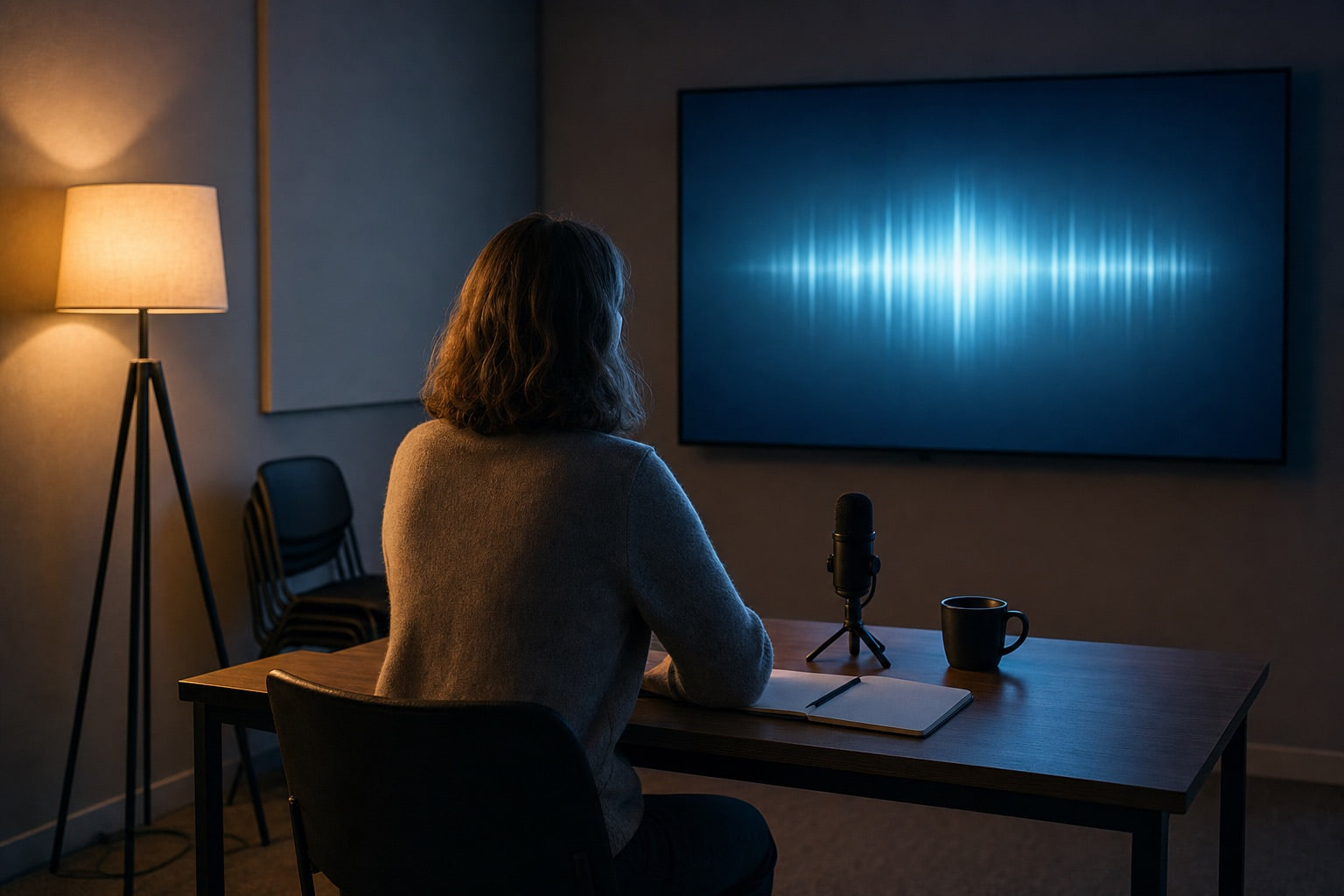
Training is the setting where live agents are least about novelty and most about repetition. Image generated with GPT Image 2.
The pattern that separates good deployments from demos
Across every setting above, the deployments that produce results share one property: the agent makes something during the conversation rather than only answering questions.
A booth agent that answers "what does your product do" is a talking brochure. A booth agent that takes a visitor's company URL and produces a one-page analysis on screen in sixty seconds has changed the transaction: the visitor now has a reason to give you an email address, and a reason to describe the experience to a colleague afterwards. A training agent that runs a roleplay is useful; a training agent that ends with a scored, specific debrief is a product.
The conversation is the interface. The artefact is the value.
The Room Is the Hardest Part
This is the section that gets skipped, and it is the one that determines whether the thing works on the day.
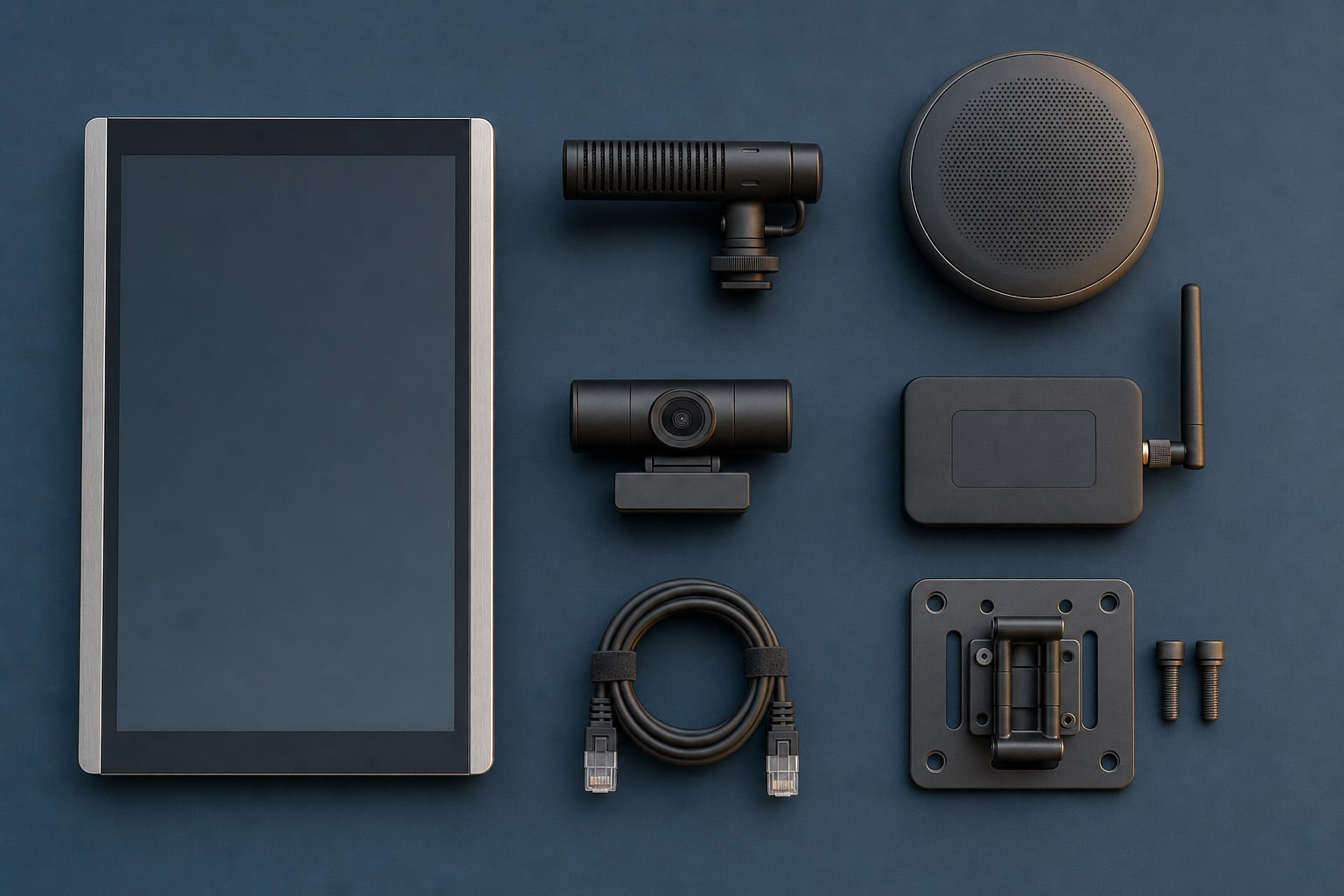
The parts list that decides whether the software works on the day. The speakerphone with hardware echo cancellation is the cheapest fix for the biggest risk. Image generated with GPT Image 2.
Noise. An exhibition hall runs loud enough that open-mic voice detection fails more often than it succeeds. The practical answers are a directional or beamforming microphone, a push-to-talk or tap-to-talk affordance, and a visible text fallback. A USB conference speakerphone with hardware acoustic echo cancellation is the cheapest fix for the biggest risk, because without it the screen's own speakers feed back into the mic and the agent interrupts itself.
Connectivity. Venue wifi is a coin flip. Bring a cellular hotspot, wire the machine to it over Ethernet, and cache a set of canned responses so the attract loop and basic answers survive a dropout.
Session hygiene. A hard reset between visitors is not optional. Nobody should ever see the previous person's email address, company name, or conversation on screen. Build a timeout that returns the display to attract mode when someone wanders off mid-sentence — which they will, constantly.
Session limits. Realtime sessions have duration caps and they drop. Build reconnection that carries a short summary into the new session, or the agent will forget someone's name mid-conversation, in front of a crowd.
Guardrails. A live agent should never quote custom pricing, promise a timeline, or make a commitment. Anything deal-shaped hands off to a human. This is worth enforcing in the system prompt and in a post-generation check, because the failure is public and quotable.
Should It See You?
Cameras are the most tempting and most dangerous addition to a live agent.
The genuinely useful applications are narrow: detecting that someone has approached and is facing the screen, so the system can wake up; counting how many people are present, so it can adjust; noticing that someone has looked away, so it can pause; and reading something a person deliberately holds up — a badge, a business card, a phone showing their website. That last one is the strongest, because it is explicitly opt-in. "Hold your badge up to the camera" is a natural instruction that gets you a company name without anyone typing.
Two things it should not do: comment on anyone's appearance, and recognise someone who visited earlier. Both read as a party trick for two seconds and as surveillance thereafter.
There is also a cost trap that catches teams late. Realtime multimodal APIs bill per turn against the accumulated session context. With a continuously streaming camera, every frame you have already sent sits in that context and is re-billed on every subsequent turn. An eight-hour session with an open camera produces an invoice that is genuinely alarming. The architectural answer is to keep presence detection local — an on-device model such as MediaPipe's pose landmarker or face landmarker runs offline and instantly — and only open the paid realtime session once a person is actually engaged. Send frames sparingly, perhaps one per second while active or only on demand, and close the session hard when they leave. As a bonus, attract mode then costs nothing and needs no network.
Disclosure, Consent, and the New Rules
As of 2 August 2026, Article 50 of the EU AI Act applies. It requires that AI systems interacting directly with natural persons be designed so that people are informed they are interacting with AI, and that synthetic or manipulated content be disclosed clearly and at first exposure. An organisation with no high-risk AI at all can still fall squarely inside these obligations simply by running a customer-facing conversational agent or a synthetic presenter. The European Commission has published guidelines on how the obligations apply.
On phone lines in the United States, the position has been settled since the FCC's February 2024 declaratory ruling, which confirmed that AI-generated voices count as an "artificial or prerecorded voice" under the TCPA. That brings consent, identification, disclosure and opt-out requirements with it, and statutory damages that start at $500 per violation.
Beyond the legal floor, the practices that hold up in a physical space are unglamorous:
- State that it is an AI in the first sentence, not in a footer.
- Put visible signage on any installation with a camera or microphone.
- Process camera frames and discard them; do not persist them, and be able to say so honestly when someone asks.
- Use a hardware indicator — a physical shutter, or an LED that is lit only during an active session.
- Check the venue contract. Some conference agreements restrict recording on the floor, and "we're only streaming, not recording" is a distinction the organiser may not accept.
- If you are capturing faces or voiceprints in a jurisdiction with a biometric privacy statute, get written consent first. Illinois' BIPA in particular carries a private right of action.
What to Measure
Most live agent deployments are evaluated on vibes. The instrumentation that actually tells you something:
| Metric | Why it matters |
|---|---|
| Time to first audio byte, p50 and p95 | The median is what your demo feels like; p95 is what your users feel like. Tail latency is where people disengage. |
| False interruption rate | Noise or backchannels mistaken for a real turn. The main driver of "it feels broken". |
| Missed interruption rate | Real corrections ignored. Causes people to repeat themselves and give up. |
| Turns per session | One-turn sessions mean the opening failed. Fifteen-turn sessions may mean the agent is not resolving anything. |
| Abandonment point | Where in the flow people walk away or hang up. Usually one specific prompt. |
| Escalation rate and quality | Handing off is a success, not a failure — provided the handoff carries context. |
| Unanswered question log | The most valuable output of any public deployment. It is free positioning research. |
Log both sides of the audio on one clock. Without a shared clock you cannot measure real latency, only what your own stack reports about itself — and those two numbers can differ by a full second.
A Pre-Flight Checklist
Before any live deployment, in roughly the order things go wrong:
- Measure p50 and p95 turn latency from recorded audio, not from your own logs.
- Test with real background noise at the actual volume of the venue.
- Test barge-in for all six interruption classes separately.
- Confirm the session resets completely between users, including on screen.
- Confirm the attract-mode timeout fires when someone walks off mid-sentence.
- Pull the network cable and confirm the failure is graceful.
- Confirm reconnection carries context after a dropped session.
- Try to make the agent quote a price, promise a date, or say something quotable.
- Verify the AI disclosure happens in the first exchange.
- Verify signage, camera indicators, and the data retention story match what you actually do.
- Have a rollback: a static screen, a QR code, and a human.
The Bottom Line
Live agents are not chatbots with a microphone attached. The chat interface hides latency, ambiguity, and failure behind a text box that people are willing to wait on. Take that away and every weakness in the stack becomes a social event happening in front of a stranger.
The teams that get this right optimise for the boring things: the turn-taking model, the microphone, the network, the reset, the handoff. They keep the agent's job small and let it hand off early. They make sure the person leaves with something. And they treat the 200-millisecond conversational gap that every human has been trained on since birth as the actual specification — not as a nice-to-have.
Everything else is a demo.